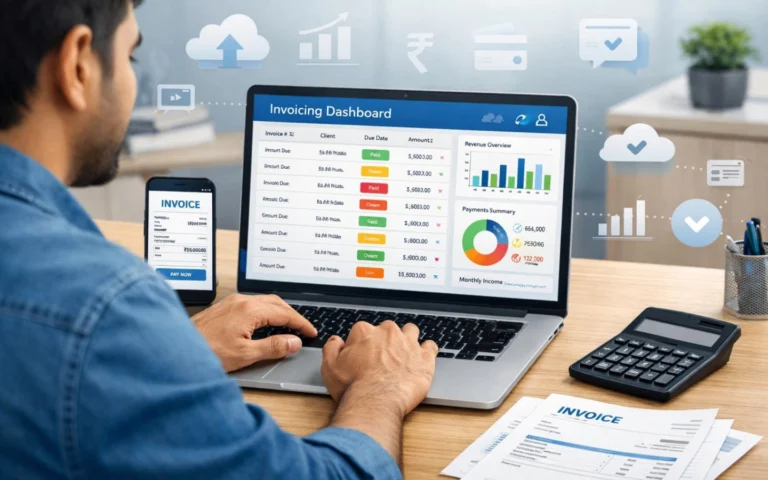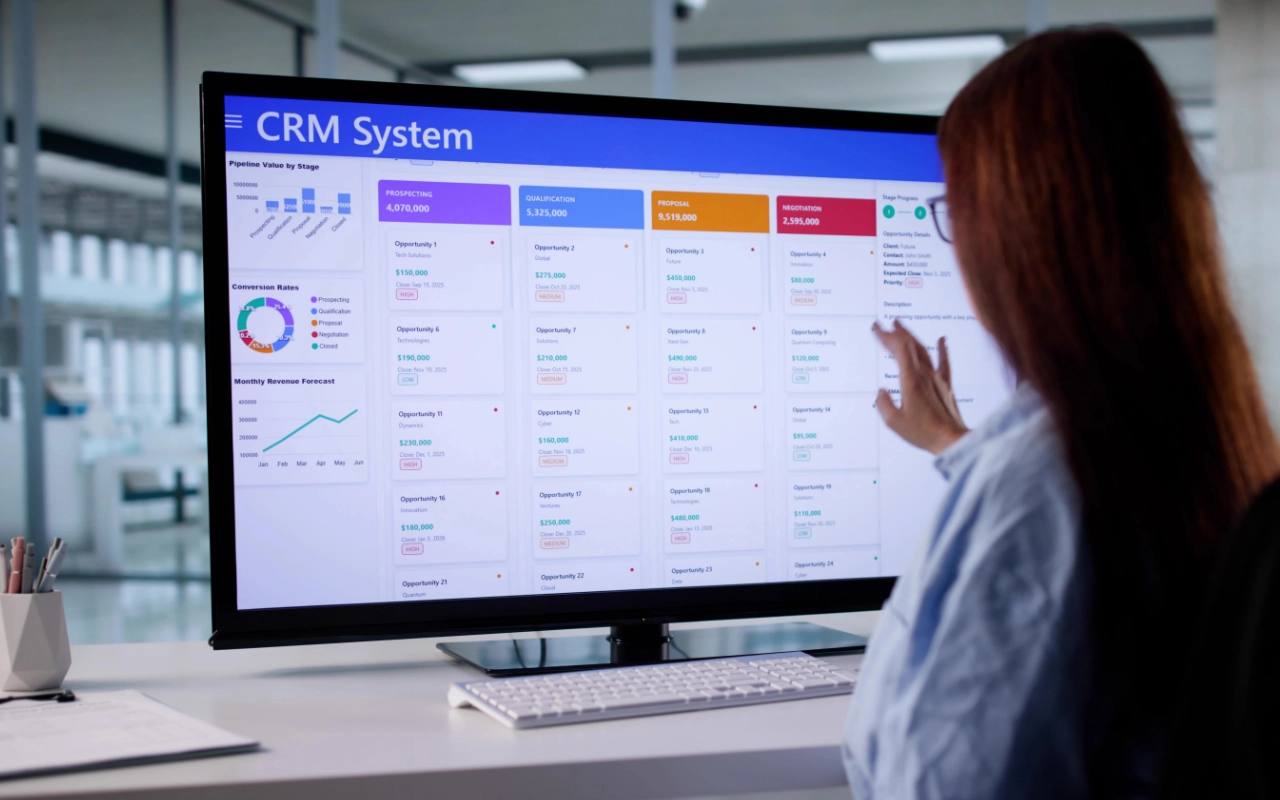
This is part of our guide to the best client management software for small business.
Confirm current pricing on each vendor's site before purchasing: SaaS pricing changes often. Some links in this article are affiliate links. Every tool listed here was independently evaluated before any affiliate relationship was considered.
Most people searching for client management software type the same thing into Google and end up on a list of CRM tools. They pick one, spend a weekend setting it up, and three months later realize it doesn't send proposals or collect payments. So they add a second tool. Then a third.
That gap — between what a CRM does and what a freelancer or small service business actually needs — is the most expensive mistake in this category. This article closes it.
What a CRM Actually Does (And What It Doesn't)
A CRM (Customer Relationship Management system) is built for one job: turning leads into paying clients. It tracks your pipeline, logs every conversation, and makes sure follow-ups don't fall through. That's it. That's the whole job.
What it doesn't do: send proposals, collect e-signatures, generate invoices, or give clients a place to check project status. Those features don't exist in a pure CRM because they were never part of the original design. CRMs were built for sales teams, not for service delivery.
This matters because most small service businesses need both. They need to close clients and deliver work. A CRM solves the first half. An all-in-one platform solves the second. Buying a CRM and expecting it to do both is where months get wasted. It's also why nearly half of small businesses with fewer than 10 employees still don't use a CRM at all — the category is confusing when you're not sure which type of tool you need.
What an All-in-One Platform Actually Does
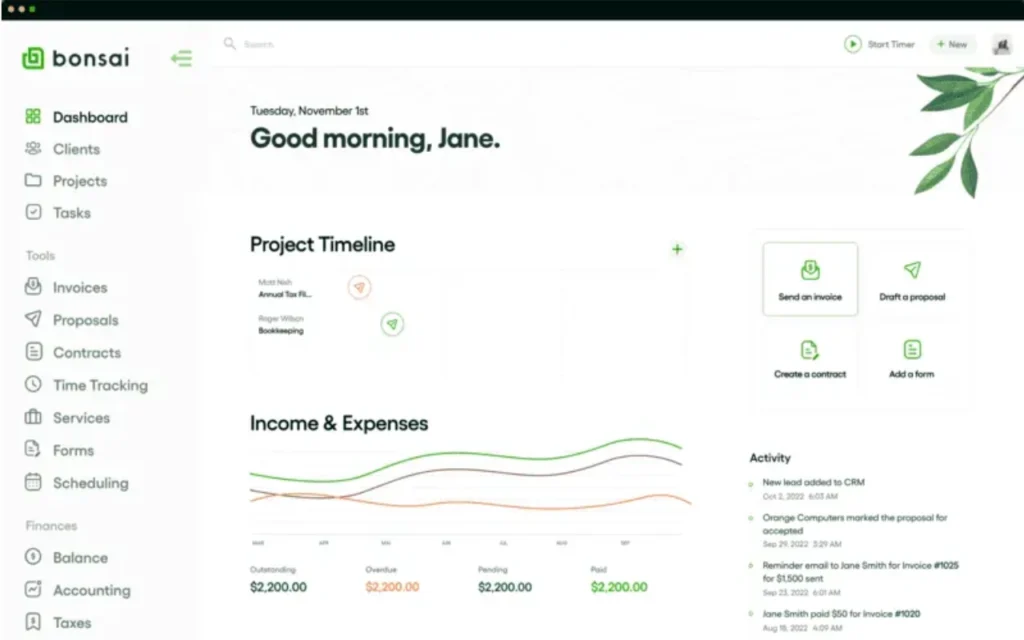
An all-in-one client management platform is built around the post-sale workflow: proposals, contracts, e-signatures, project tracking, invoicing, and payment collection — all connected in one place.
The key word is connected. In a platform like Bonsai, a signed proposal automatically triggers a contract. A completed project automatically triggers an invoice. A late payment automatically triggers a reminder. You set it up once and it runs without you.
What all-in-one platforms don't do well: advanced sales pipeline management, lead scoring, AI-powered deal intelligence, and deep third-party integration ecosystems. If your business lives on outbound prospecting and you're managing 20 leads at different stages simultaneously, a dedicated CRM will outperform any all-in-one platform on the sales side.
The Real Difference in Practice
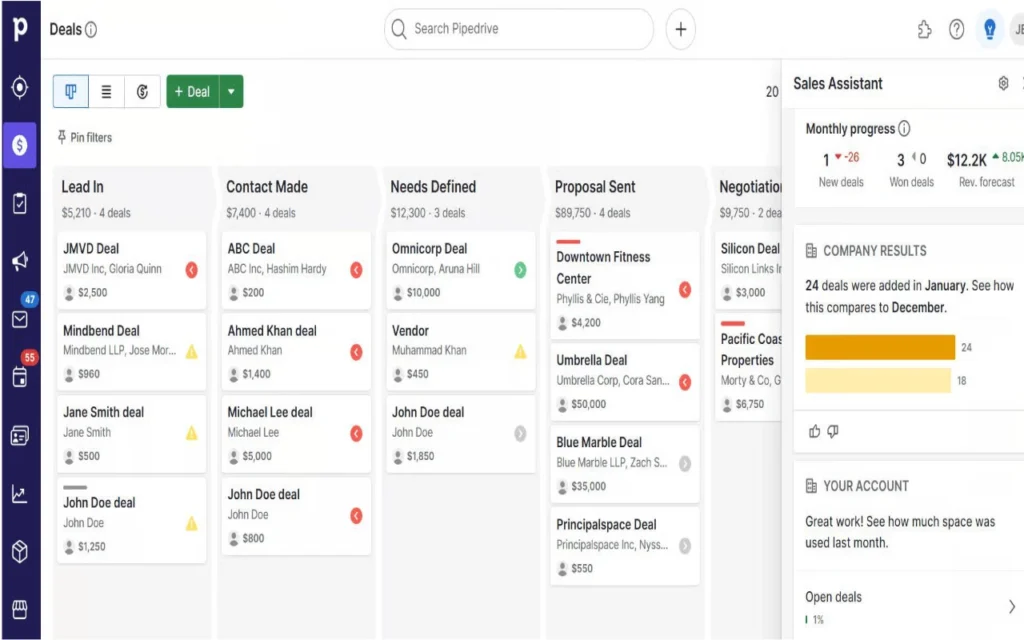
Here's the same business — a freelance brand strategist — using each type of tool:
With a CRM only:
A new lead comes in through a referral. The CRM logs the contact, tracks the conversation, and reminds the strategist to follow up. When the prospect says yes, the strategist exports their details and switches to a separate proposal tool. The signed contract comes back through DocuSign. The invoice goes out through a separate app. Payments are tracked in a spreadsheet.
The CRM did its job perfectly. But four other tools had to fill the gap.
With an all-in-one platform only:
The same lead comes in. The strategist sends a proposal from a saved template in under five minutes. The client signs the contract that triggers automatically. A deposit invoice goes out the same day. The project is tracked inside the same platform. When the work is done, the final invoice goes out automatically.
What's missing: if this strategist is simultaneously managing 15 active leads at different pipeline stages, the all-in-one platform's sales tracking won't keep up. A CRM would handle that better.
That's the practical difference. It's not about which type of tool is better. It's about which half of the problem is costing you more right now.
Which Problem Is Actually Costing You More?
You need a CRM if:
- Leads are going cold because follow-ups fall through
- You can't answer “what's your pipeline worth right now?” without checking three places
- You're managing 10+ active prospects at different stages simultaneously
- You do significant outbound prospecting — cold email, LinkedIn, calls
- Deals are slipping because no one is tracking next steps
You need an all-in-one platform if:
- Every proposal starts from a blank page or an old email you dig up
- Contracts go out as PDF attachments with no tracking
- Invoices go out late — or get missed — because you lost track of project status
- You're spending 3+ hours a week on admin that should be automated
- Clients keep emailing you for updates that a portal would handle automatically
You probably need both if:
- You're actively prospecting while simultaneously managing a full client roster
- Your business is growing fast and both problems are real
The good news: HubSpot Free paired with Bonsai Basic covers both workflows at a low combined cost — one tool for sales, one for delivery. It's one of the more affordable ways to run a complete client operation without stitching together five different tools.
What's Actually Missing From Each Type
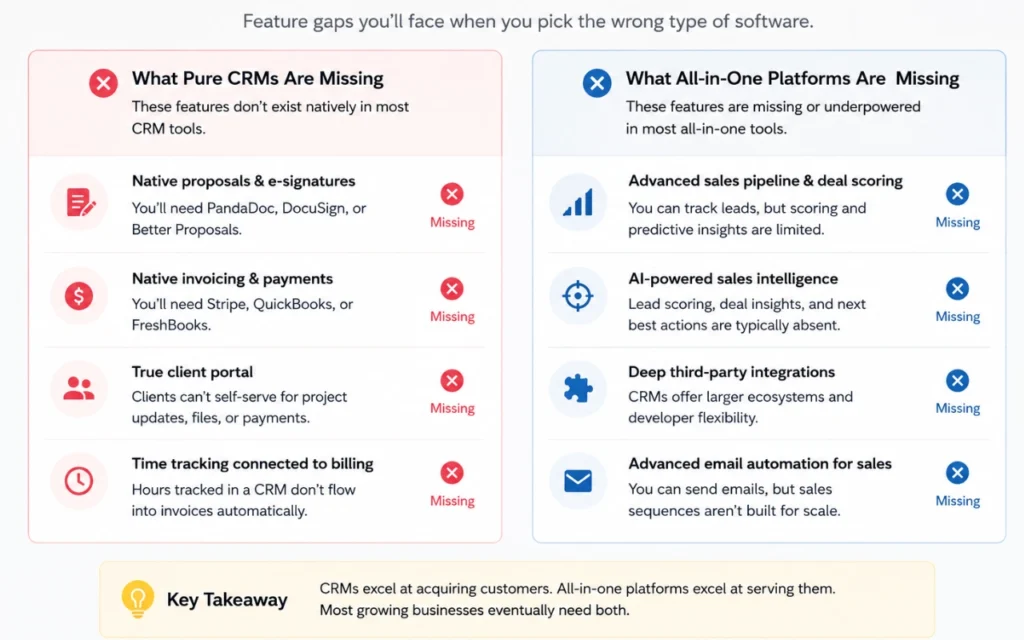
Most comparison articles stop at “CRM does sales, all-in-one does delivery.” Here's the specific feature gap — the things you'll actually miss when you buy the wrong type.
What pure CRMs are missing?
These features don't exist natively in HubSpot, Pipedrive, Freshsales, Zoho, Bigin, Streak, or Less Annoying CRM:
- Native proposals and e-signatures — you'll need a separate tool like PandaDoc, DocuSign, or Better Proposals. Add $19–$49/month and another login.
- Native invoicing and payment collection — you’ll need Stripe, QuickBooks, or FreshBooks. Each gap creates manual reconciliation work.
- True client portal — Clients can't self-serve for project status, file uploads, or invoice payments. Every update requires an email.
- Time tracking connected to billing — Hours tracked in a CRM don't flow into invoices automatically. That connection requires a separate tool.
What all-in-one platforms are missing?
These features don't exist or are underpowered in Bonsai, HoneyBook, and Dubsado:
- Advanced sales pipeline with deal scoring — you can track leads, but you won't get AI-powered risk flags or deal health scoring.
- AI-powered lead intelligence — No Freddy AI (Freshsales), no Breeze (HubSpot), no Zia (Zoho). Document drafting AI is available in Bonsai, but sales intelligence is not.
- Deep third-party integration ecosystems — HubSpot has 1,000+ integrations. Bonsai has the essentials. If you rely on niche tools, the CRM ecosystem is broader.
- Marketing automation — Email sequences, lead nurturing campaigns, and A/B testing are CRM territory. All-in-one platforms don't go there.
Key Features to Look For — By Business Type
Not every feature on a CRM's pricing page matters for a freelancer or small service business. Most tools list 40+ features, the majority of which you'll configure once and never touch again. These are the ones that actually change how you work.
| Feature | Freelancer / Solo | Small Team (2–10) | Why It Matters More for Teams |
| Contact Database | Essential | Essential | Foundation — always needed |
| Pipeline Tracking | Essential | Essential | Visibility breaks down fast without it |
| Email Integration | Essential | Essential | Manual logging never scales |
| Proposals & Contracts | Essential | Essential | Every new client needs these |
| Invoicing & Payments | Essential | Essential | Late invoices are expensive at any size |
| Client Portal | Useful | Essential | Teams need a shared client touchpoint |
| Task Management | Nice to have | Essential | Tasks in someone's head don't get done |
| Automation | Nice to have | Essential | One person can remember; a team needs systems |
| Integrations | Minimal | Essential | Each gap creates compounding manual work |
| Mobile App | Essential | Essential | Non-negotiable if you work outside a desk |
What to check for each feature
Contact and Client Database — Can you see a client's full history, active deals, and linked tasks from a single screen? If you're still re-reading old emails to rebuild context before every client call, the current setup isn't working.
Pipeline or Deal Tracking — Can you see every active deal at every stage in one view? Can you drag deals between stages and have linked tasks update automatically? Without a visual pipeline, you're relying on memory. That's fine at five clients. At fifteen, it stops working.
Two-Way Email Integration — Does email sync work both ways automatically — sent and received? Does it work with your actual email client? This is the feature that determines whether you'll actually use your CRM consistently. Without it, you're doing data entry every day. That's the main reason most people abandon their CRM within 90 days.
Proposals, Contracts, and E-Signatures — Does the tool send proposals and collect signatures natively, or does it require an integration? Each handoff between your CRM, a proposal builder, DocuSign, and your inbox adds friction and slows down the client experience at exactly the moment you want it to be fast.
Invoicing and Payment Collection — Does the tool send invoices and accept payment natively? Does it send automatic reminders for overdue invoices? Integrated invoicing removes the Stripe-to-QuickBooks juggling that quietly costs hours every month.
Client Portal — Is the portal branded to your business, or does it show the tool's branding? Can clients access it without creating an account? For a solo operator or small team, a client portal can save 3–5 hours a week in status-update emails. It also signals professionalism at every interaction.
Automation — What triggers automation: time, deal stage, or client action? Which plan tier unlocks it? Automation is frequently locked behind paid plans — check before you commit to a free tier you'll immediately need to upgrade.
Mobile App — Does the mobile app have full pipeline access, or just contact lookup? If you work from your phone between client calls, a slow or stripped-down app means you'll stop updating the CRM within two weeks. Test the mobile app before you commit to any tool.
The Decision Framework
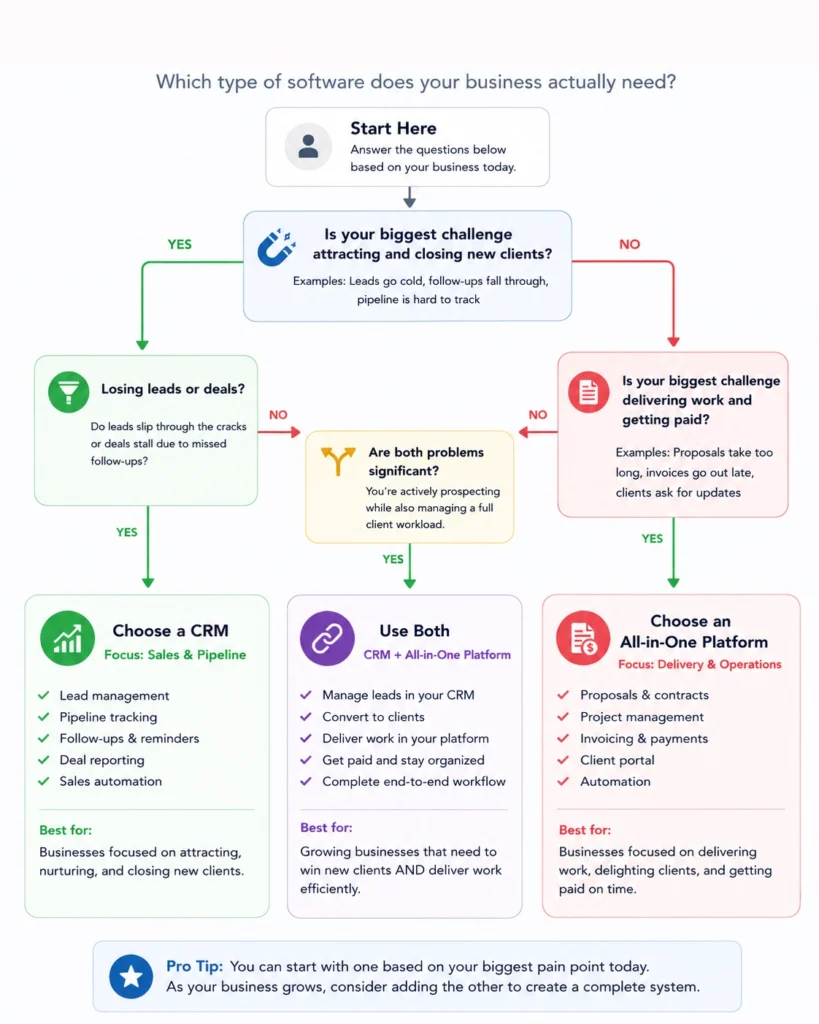
If you've read this far and you're still not sure, use this:
Step 1: Write down your single most expensive operational problem right now. Not the thing you'd like to fix eventually — the one that cost you money or hours last week.
Step 2: Map it to a category:
- Lost lead, missed follow-up, invisible pipeline → CRM
- Late invoice, proposal built from scratch, contract in email → All-in-one platform
- Both, roughly equally → Start with a CRM for sales, add Bonsai for delivery
Step 3: Pick the simplest tool that solves Step 1. Don't buy for the business you want to have in two years. Buy for the problem you have today. You can always add the second tool once the first problem is solved.
Quick Reference: CRM vs Client Management Software (All-in-One)
| CRM Tools | All-in-One Platforms | |
| Best examples | HubSpot, Pipedrive, Freshsales, Zoho, Bigin, Streak, Less Annoying CRM | Bonsai, HoneyBook, Dubsado |
| Solves | Lead tracking, follow-ups, pipeline visibility | Proposals, contracts, invoicing, client delivery |
| Best for | Businesses with lots of leads to manage | Businesses with lots of active clients to serve |
| Starting price | Free (HubSpot, Bigin, Freshsales) to ~$14/user/month | ~$9/user/month (Bonsai) |
| Setup time | A few hours to a full day | Under an hour for core client workflows |
| Missing | Proposals, contracts, native invoicing | Advanced sales pipeline, lead scoring |
Ready to compare specific tools? See our full reviews of all 8 tools — with complete pros, cons, pricing tables, and AI breakdowns for each.