

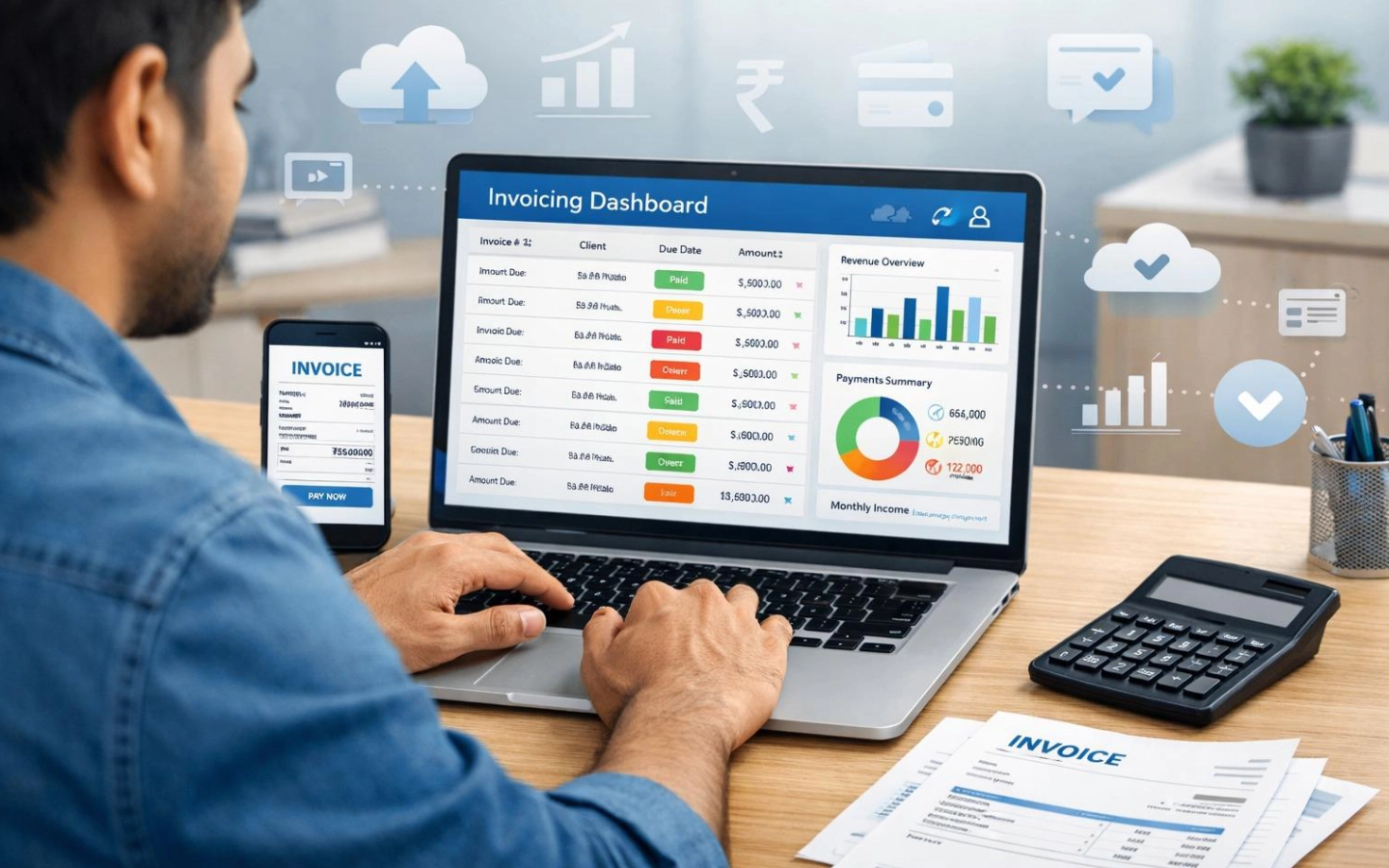
Your invoicing tool probably isn't failing at invoices. Almost any tool can produce a PDF with a total on it. The trouble starts after you press send: you chase late payments by hand, you can't tell who has paid, or you're paying for a ledger you never open.
This article treats invoicing as a workflow instead of a feature list. Its central idea is an editorial position, not an industry rule:
The best invoicing tool is the simplest system that can reliably complete your actual money workflow.
The problem isn't creating the invoice
Getting paid takes seven steps:
Create → Send → Track → Remind → Collect → Reconcile → Report
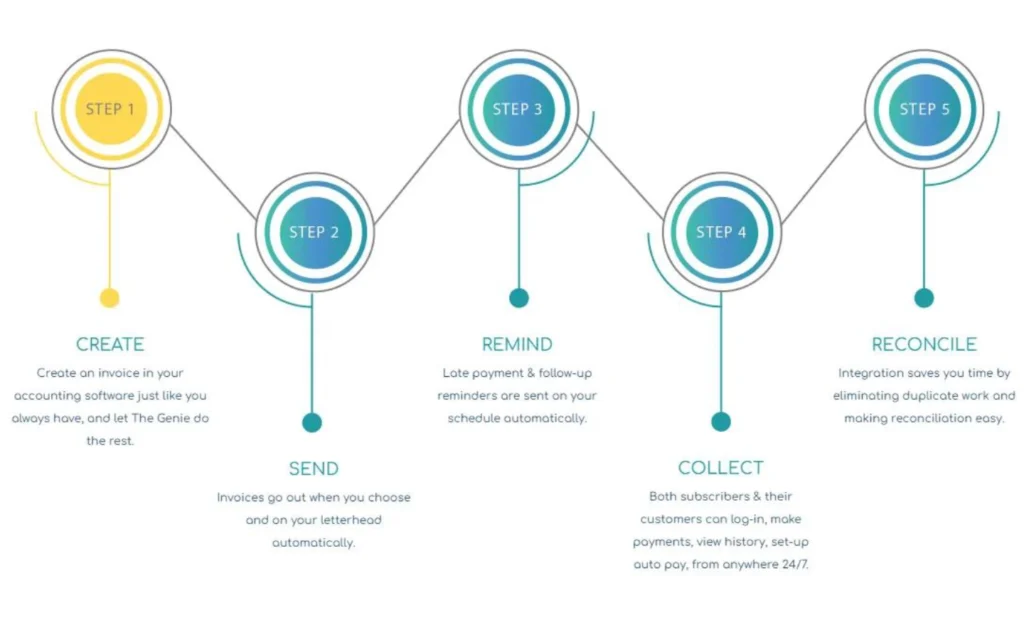
This is an editorial model, not a description of how every product works. It does show what a tool covers and what it leaves to you.
| Tool type | Typically strongest at |
| Basic invoice generator | Create → Send |
| Dedicated invoicing platform | Create → Send → Track → Remind → Collect |
| Accounting platform | The full chain, including Reconcile → Report |
| Payment-led platform (such as Stripe) | Collect, plus automation and integrations; it doesn't replace bookkeeping |
A tool that's too basic stops before the steps that cost you time. A tool that's too complicated covers steps you don't need, and you pay for them in money and effort.
Quick start: match your biggest problem to a tool type
| If your biggest problem is… | Start by looking at… |
| Creating and sending invoices | A basic or dedicated invoicing tool |
| Chasing overdue payments | Invoicing with reminders and payment tracking |
| Repeat billing | Recurring invoices |
| Collecting payment online | Payment-enabled invoicing |
| Billing for time or projects | Service or project invoicing |
| Bank reconciliation, payroll, inventory | Accounting software |
| Subscription payments | A billing and payment platform |
| Too many features you never use | A simpler dedicated invoicing tool |
Signs your invoicing tool is too basic
- You send every reminder by hand. If chasing invoices is a recurring task, the tool isn't finishing the job.
- You retype the same invoice every month, which points to missing recurring billing.
- You can't see payment status, so you check your bank account to find out who paid.
- Clients have few ways to pay, and that slows collection.
- Deposits and partial payments break your records. Anything beyond “paid in full” ends up in a spreadsheet.
- Time and expenses live somewhere else, and you copy the numbers across by hand.
- Reports and exports are weak, so at tax time you rebuild your income manually.
- Nothing connects to your accounting. Your accountant gets a folder of PDFs.
Signs your invoicing tool is too complicated
- You pay for modules you've never opened, such as payroll, inventory or a full ledger.
- Setup took longer than the monthly admin it was meant to replace.
- Sending a simple invoice means passing through settings built for accountants.
- Staff need training to bill a client.
- You pay for extra users or seats nobody uses.
- The software creates more administration than it removes.
Complexity depends on the person. A tool that feels heavy to a solo designer can feel normal to a business with a bookkeeper.
The minimum necessary complexity test
Answer these ten questions about your own business:
- What do I need to create: invoices only, or also estimates, proposals and credit notes?
- How do I send invoices?
- How do I know when someone has paid?
- How do I follow up on overdue invoices?
- Do I need recurring invoices?
- Do I need automatic payment collection?
- Do I need expense or time tracking?
- Do I need reconciliation against my bank?
- Do I need accounting?
- Do I need tax support, such as sales tax calculation?
Choose the least complicated product that handles every step you answered “yes” to, and nothing beyond that. A longer feature list is not a reason to buy.
Questions 5 and 6 are easy to blur. Recurring invoices generate the document on a schedule. Automatic payment collection charges a saved payment method. The first doesn't guarantee the second, which often needs a payment product or a higher plan.
The upgrade-trigger test
Upgrade only if at least one of these costs you meaningful time or money every month: manual reminders, repeated invoice entry, payment tracking, reconciliation, expense entry, tax reporting, client or project administration, payment collection, or team permissions. Then ask whether the new software removes that specific problem. If you can't point to the feature that fixes it, don't switch.
What type of invoicing software do you need?
| Category | What it does | It stops being enough when you need |
| Invoice generator or template | Produces PDFs or payment links | Reminders, recurring billing, payment tracking |
| Dedicated invoicing platform | Invoices, estimates, reminders, payments, client records | Bank reconciliation, payroll, inventory |
| Billing and payment platform | Hosted invoices, subscriptions, payment retries, many payment methods, APIs | Bookkeeping, expenses, tax reporting |
| Accounting software | Invoicing plus ledger, bank feeds, expenses, reports | Nothing more, but it is heavy for invoice-only work |
| Freelancer or project tool | Proposals, contracts, time, projects, invoices | A general ledger and tax reporting |
Invoicing software worth considering
The products below aren't ranked, because feature counts don't answer the question. Each recommendation is an editorial judgment about the job a tool does well.
1. Zoho Invoice
Zoho's pricing page lists invoices, estimates, recurring invoices, reminders, expenses, time tracking, projects, a client portal and reports.
Zoho Invoice Best fit.
Freelancers and small service businesses that want a broad invoicing workflow without a monthly subscription.
Where Zoho Invoice can help you.
Recurring invoices, automated reminders, and time and expense tracking sit in one product. Zoho documents CSV, TSV and XLS imports for customers, items, quotes, invoices, payments, recurring invoices and expenses (migration guide).
Where Zoho Invoice falls short.
“Free” doesn't mean unlimited. Zoho says free invoice limits are subject to annual updates, and its US pricing page lists limits on users and projects, so check the current numbers. Some G2 reviewers report setup complexity and limited flexibility, although individual reviews don't show how common those experiences are (example).
Where you should look at for (the Cost) .
The subscription is free, but payment gateway fees are separate and depend on the gateway you connect.
Who should skip Zoho Invoice.
It may stop fitting if your workflow needs more users or projects than the current free plan allows, or if you want full accounting in one product. Zoho Books is the company's accounting product.
2. FreshBooks
A service-business invoicing platform with light accounting. It covers invoices, estimates, proposals, expenses, time tracking, retainers and reports (pricing page).
Best fit for FreshBooks
Freelancers, consultants and agencies that bill by time, project or retainer and want a smooth client experience.
Where FreshBooks helps you.
The pricing page lists card, ACH, Apple Pay, Google Pay and buy-now-pay-later options in the US. Time and expense capture feed directly into invoices.
Where FreshBooks falls short.
Plans are tied to client count. The current page shows Lite at five billable clients, Plus at 50, and Premium unlimited. FreshBooks' support article says archived clients also count toward the limit. Capterra reviews praise ease of use but also mention client caps and rising cost (Capterra).
Where you should look at for (the Cost) .
Client limits, extra users, and an Advanced Payments add-on listed at $20 a month on Lite, Plus and Premium. FreshBooks Payments lists 2.9% + $0.30 on cards and 1% on ACH. Read current plan prices on the live page, since they vary by billing cycle and promotion.
Who should skip FreshBooks.
FreshBooks may be unnecessary if you send only a few invoices and don't need its project, time, expense or client-management features. It also gets expensive for businesses with many small clients, and it isn't built for deep custom reporting or inventory.
3. QuickBooks Online
Accounting software with invoicing inside it. Intuit's pricing page lists bank connections, reports, payments, project profitability, inventory and user roles across its plans.
Best fit for QuickBooks.
Businesses where invoicing is one part of a wider finance job: bank reconciliation, structured expenses, accountant access, inventory or project profitability.
Where QuickBooks will helps you.
Invoices connect to bank feeds and reports, and you can invite accountants into your account. Intuit's June 2026 update also describes a beta feature called “Invoicing on Autopilot.” Treat it as a company claim and check whether your plan includes it.
Where QuickBooks falls short.
It is more than an invoice-only user needs. G2 reviews include complaints about price, extra charges and learning curve, although those reports don't show how common they are (G2).
Where you should look at for (the Cost) .
The Intuit’s US page lists standard prices of $38 (Simple Start), $85 (Essentials), $140 (Plus) and $340 (Advanced) a month. It shows 50%-off promotional prices for the first three months, so don't mistake those for the ongoing price.
QuickBooks also offers a free plan with limited features. Check the current plan terms before relying on it for regular invoicing. Payment fees are separate.
Who should skip QuickBooks.
Solo consultants who send a handful of invoices and have no use for reconciliation, inventory or payroll.
3. Wave
Free invoicing plus basic bookkeeping, with payment processing as the paid layer.
Best fit for Wave.
Very small, low-complexity US and Canadian businesses.
Where Wave can help you.
Wave's pricing page lists a $0 Starter plan and a $19 a month Pro plan ($190 a year).
Where Wave falls short.
G2's alternatives summary reports limits on advanced reporting, inventory, project accounting, mobile depth and support (G2). That is a secondary summary of reviews, not Wave documentation.
Where you should look at for (the Cost) .
Payments. Wave's payments page lists 2.9% + $0.60 on most cards, 3.4% + $0.60 on Amex, and 1% (minimum $1) on bank payments. Pro treats its first ten monthly card payments differently, so read the pricing page directly.
Who should skip Wave.
Anyone who needs integrated time tracking, projects or deeper reporting, and anyone who collects mostly by card without having priced the fees (see the cost section below).
4. Stripe Invoicing
A payment and billing layer, not an accounting tool.
Best fit for Stripe Invoicing.
Businesses already on Stripe, subscription or SaaS businesses, international customers, and teams that want APIs and automation.
Where Stripe Invoicing can help you.
Stripe's product page lists cards, ACH Direct Debit, bank transfers, wallets and other methods, subject to availability. Its pricing page says both Starter and Plus include a hosted invoice page, a customer portal, automatic collection with smart retries and email reminders, and auto-reconciliation of invoices paid by ACH credit or wire.
Where Stripe Invoicing falls short.
That auto-reconciliation covers Stripe invoices, not your bank accounts. Stripe doesn't handle expenses, bank reconciliation for your books, tax reporting or accountant-ready financials. Configuration gets technical once subscriptions, tax, proration and multiple currencies enter.
Where you should look at for (the Cost).
Three separate layers. Stripe Invoicing Starter charges 0.4% per paid invoice, and Plus (which adds quotes) charges 0.5%. Stripe Payments pricing applies on top, and Stripe's support page gives 2.9% + $0.30 as the US card starting point. Stripe Billing is a separate product for recurring revenue with its own pricing. ACH, international cards and currency conversion are priced separately again.
Who should skip Strip Invoicing
Anyone looking for one product that covers invoicing and bookkeeping, and anyone with very small invoices, where percentage fees stack up.
Other options: Xero, Bonsai and Square
Each of these earns a mention for a specific workflow only.
- Xero is accounting software with invoicing, worth comparing with QuickBooks when you need bank-connected accounting. Its pricing page lists Early at $27, Growing at $59 and Established at $97 a month, with an 80% discount on the first three months for new customers. Early caps invoices at 20 a month, which matters if you invoice often.
- Bonsai suits freelancers and agencies that want proposals, contracts, time, projects, a client portal and invoices in one place. Pricing is per user, so team size drives cost. It isn't full accounting.
- Square Invoices suits businesses already using Square for in-person sales. Square's fee page lists online invoice card processing and ACH rates, which depend on your plan. Its value depends on how much of your business already runs through Square.
What invoicing software really costs

You pay two separate bills: the software subscription and the cost of getting paid. Compare annual operating cost:
Annual cost = 12 × subscription + add-ons + (payment volume × percentage fee) + (number of payments × fixed fee) + other per-invoice fees + currency, payout and dispute fees
Illustrative example, not a quotation. Assume $500 invoices, 15 a month ($7,500 a month, $90,000 a year), all paid by card, US published rates, one-time invoices, and no refunds, chargebacks, currency or payout fees:
| Option | Subscription | Per-invoice fee | Card fees | Approx. annual cost |
| Wave Starter | $0 | none | $2,718 (2.9% + $0.60) | $2,718 |
| Stripe Invoicing Starter + Payments | $0 | $360 (0.4%) | $2,664 (2.9% + $0.30) | $3,024 |
| QuickBooks Simple Start | $456 ($38 standard price) | none | QuickBooks Payments rates not verified | $456 plus processing |
Fees dwarf subscription differences. In this scenario Stripe costs $306 a year more than Wave because of its per-invoice percentage, even though neither has a monthly subscription. A free subscription isn't automatically the cheap option, and a “no fixed fee” product isn't free.
Payment method matters more than subscription tier. On a $500 invoice using Wave's published rates, a card payment costs 2.9% + $0.60 = $15.10, and a bank payment costs 1% = $5. At 15 invoices a month, moving those payments from card to bank saves $151.50 a month, or $1,818 a year. That assumes every client can and will pay by bank.
Before you compare products, also count clients (FreshBooks), users (Zoho, Bonsai, accounting tools), invoice caps (Xero Early), add-ons, and whether the advertised price is a promotion.
When should you move from invoicing to accounting software?
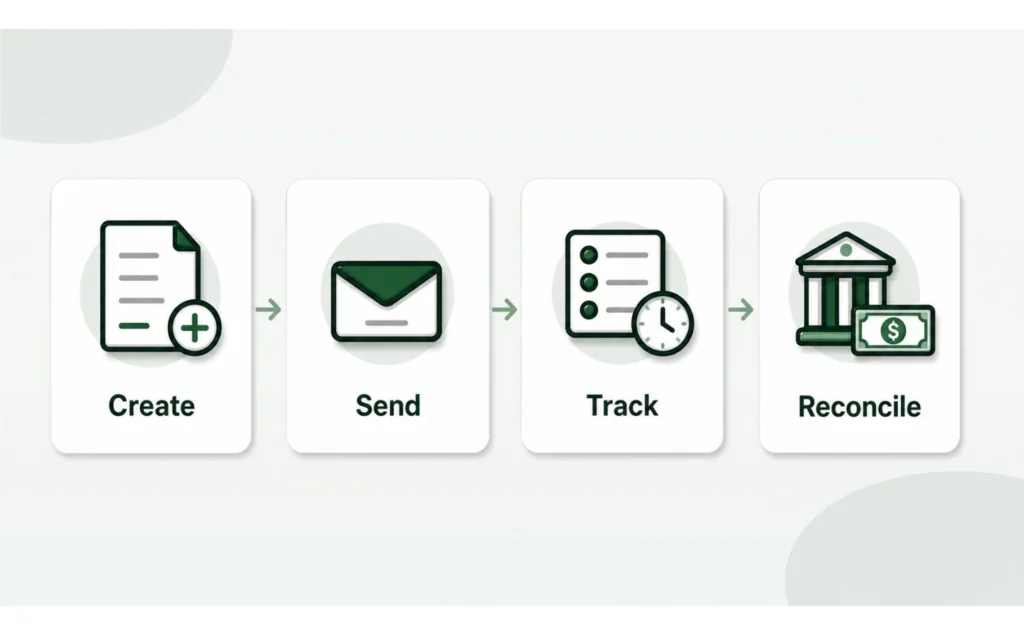
No revenue threshold applies to everyone. Look for workflow triggers instead:
- You need bank reconciliation, not just a record of what you billed.
- Expenses need structured capture instead of a folder of receipts.
- Tax reporting is getting hard to assemble.
- You run payroll, hold inventory or pay bills through the system.
- More than one person needs access with different permissions.
- Your accountant wants direct access.
- You need project profitability, not just project billing.
One trigger doesn't justify a new platform. Several at once usually do.
Tax and invoice requirements in the US
Sales tax and invoice requirements vary by state, so check your state's revenue department or ask your accountant. A typical invoice includes seller and buyer details, a unique number, dates, line items, tax, totals and payment terms. Treat that as a checklist to adapt, not a legal standard.
Suppliers to federal agencies use the Treasury's Invoice Processing Platform to submit invoices to enrolled agencies. For private-sector business-to-business invoicing, industry sources describe e-invoicing as voluntary in the US, with a Peppol-style exchange network run by the DBNAlliance but no federal requirement to use it.
The sources reviewed for this article are industry explainers, not government publications, so confirm with your accountant or tax authority if the question affects you.
If you sell to customers in countries with e-invoicing mandates, such as Belgium, Poland or France, those rules may reach you depending on how you sell. Ask a tax adviser rather than assuming either way.
No product here is described as “tax compliant,” because compliance depends on your state, your transactions and your accountant.
How to switch invoicing software without losing your records
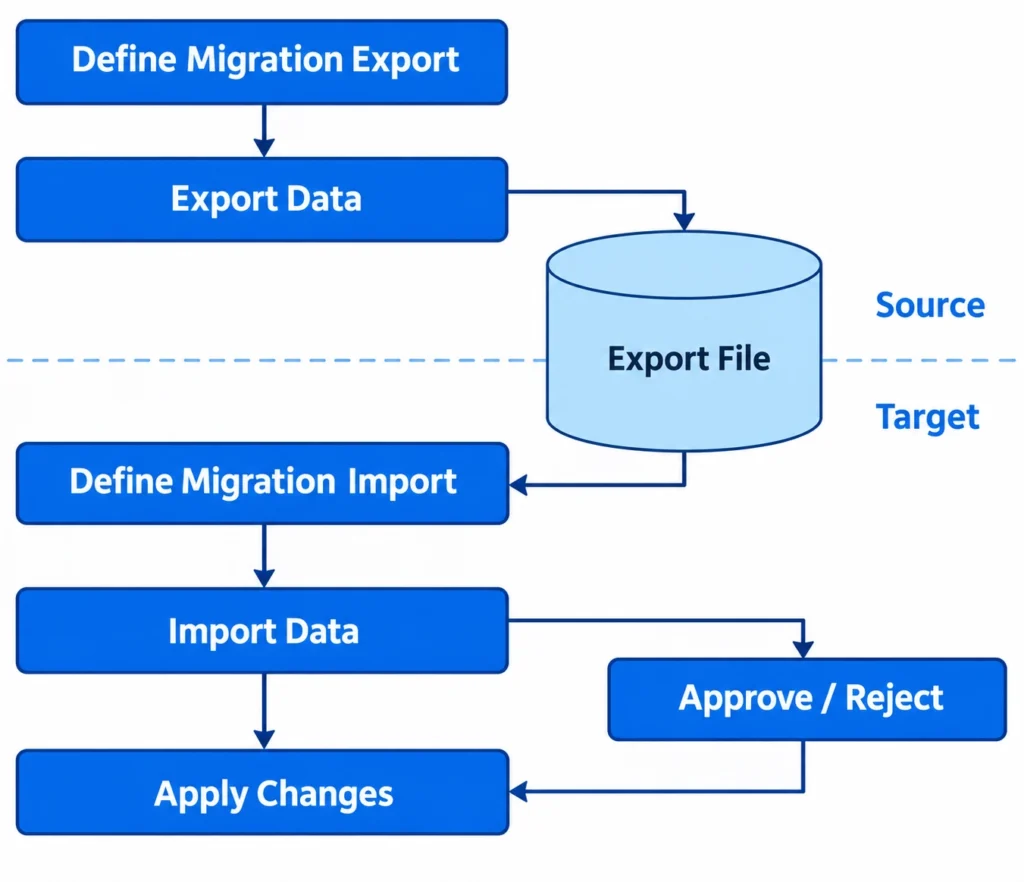
Export first, and subscribe to the new tool second.
Preserve, where applicable: invoice PDFs and data, customer records, estimates, recurring invoice schedules, payment records, credit notes, expenses and receipts, tax reports, reconciliation records, attachments, product and service lists, and your invoice-number history.
Expect some of it not to transfer cleanly: saved payment methods and payment authorizations, audit history, reconciliation relationships, custom workflows and tax mappings. This varies by product, so rely on each vendor's documentation.
Here is what the documentation says. FreshBooks documents CSV and PDF exports for clients, invoices, estimates and proposals. Zoho documents imports but says transfers between organizations are manual. QuickBooks documents exports of reports and lists to Excel.
A safe order of work:
- Export everything, including PDFs, not only CSVs.
- Keep your invoice-number sequence going.
- Test-import a small batch.
- Compare customer balances and unpaid invoices.
- Recreate recurring invoices and payment authorizations where needed.
- Check tax settings and templates.
- Run both systems for one billing cycle.
- Keep the old account read-only until your records are archived.
When you should not switch
Your current tool may be good enough if invoice volume is low, payment tracking is simple, clients pay on time, you don't need recurring billing, accounting happens elsewhere, exports work, payment costs are acceptable, and the replacement solves no problem you can name. If the real problem is vague payment terms or slow clients, software won't fix it. And if migration would take longer than the manual work it removes, stay put.
Which invoicing software fits your situation?
| Situation | Consider | Trade-off |
| Freelancer, low volume | Your current tool, or Zoho Invoice | Free-plan limits |
| Freelancer needing proposals and contracts | Bonsai | Per-user pricing, no full accounting |
| Consultant on retainer | FreshBooks | Client-based pricing as you grow |
| Agency billing by project, retainer or time | FreshBooks or Bonsai; choose accounting software if the main problem has moved to bookkeeping and reporting | Seat costs, or accounting weight you may not need |
| Contractor | Specialist job-costing software if you need progress billing, retainage or job costing; QuickBooks or Xero if accounting is the main need | Accounting complexity |
| Small service business, simple needs | Wave | Payment fees, limited depth |
| Business with in-person sales | Square Invoices | Value depends on existing Square use |
| Payment-led or subscription business | Stripe, plus separate bookkeeping | Per-invoice and payment fees; not accounting |
| Growing business | QuickBooks or Xero | Cost and learning curve |
FAQ
Do I need accounting software to send invoices?
No. Dedicated invoicing tools can create, send, track and collect invoices without a ledger. Accounting software helps when you need reconciliation, structured expenses, tax reporting, payroll, inventory or accountant access.
Is free invoicing software enough?
Yes, if volume is low, the limits fit, payment fees are acceptable, you can export your records, and accounting is handled elsewhere. Free doesn't mean unlimited.
Do invoicing tools charge payment fees?
Usually, and separately from the subscription. Wave, Stripe, FreshBooks, Square and QuickBooks all show that split, and Stripe adds a per-invoice percentage on top of payment processing.
Can I migrate old invoices?
Often partially. Payment tokens, reconciliation history, audit trails and complex workflows may not transfer, so check both products' documentation.
Verdict
Don't buy the most powerful invoicing tool. Buy the simplest one that can reliably handle the work between sending an invoice and getting the money into your books. If your current tool already does that, keep it.
Before you switch, write down the three tasks your current system makes harder than they should be. Then check whether the replacement fixes those exact tasks. If it doesn't, you don't need new software.
If you have anything to ask us you can email us at support@theworkpilot.com.
