
Confirm current pricing on each vendor's site before purchasing: SaaS pricing changes often. Some links in this article are affiliate links. Every tool listed here was independently evaluated before any affiliate relationship was considered.
The Problem With Managing Clients From Your Inbox
You didn't start your business to spend half your day chasing emails and rebuilding the same spreadsheet. But that's where most small business owners end up — not because they're disorganized, but because email and spreadsheets were never designed to handle client relationships at scale.
The right client management software for small business fixes that. You stop jumping between three tabs chasing a thread. Clients stop slipping through the cracks.
Here's what most roundups skip: not all client management tools work the same way. Some are CRMs, built to track leads and close deals. Others are all-in-one platforms that handle proposals, contracts, invoicing, and client delivery. Buying the wrong type wastes months of setup time on a tool that was never built for how you work.
We spent six weeks running 15+ tools through scenarios, tracking setup time, automation reliability, and whether the pricing actually makes sense at small business scale. Eight made the cut. This guide covers both CRMs and all-in-one platforms, whether you're a freelancer handling your first ten clients or a small agency with thirty active deals at once.
In this guide:
- What client management software is, and which type your business needs
- The 8 best tools for small businesses, freelancers, and solopreneurs in 2026
- A simple framework to pick the right tool for the problem you have today
How We Tested
Over six weeks, we signed up for every tool on this list using a simulated small business with active clients, a sales pipeline, and recurring invoicing needs. We tracked how long setup actually took (not the “get started in minutes” claim on the landing page), whether automation workflows ran reliably, and how quickly a non-technical person could get comfortable with the interface.
Tools that looked impressive in demos but created friction in daily use got cut. A few tools we'd used in previous years didn't make the list this time around — their pricing structures had shifted in ways that no longer make sense for small teams. We'll cover those under “Tools We Didn't Include.“
CRM vs Client Management Software: What's the Difference?
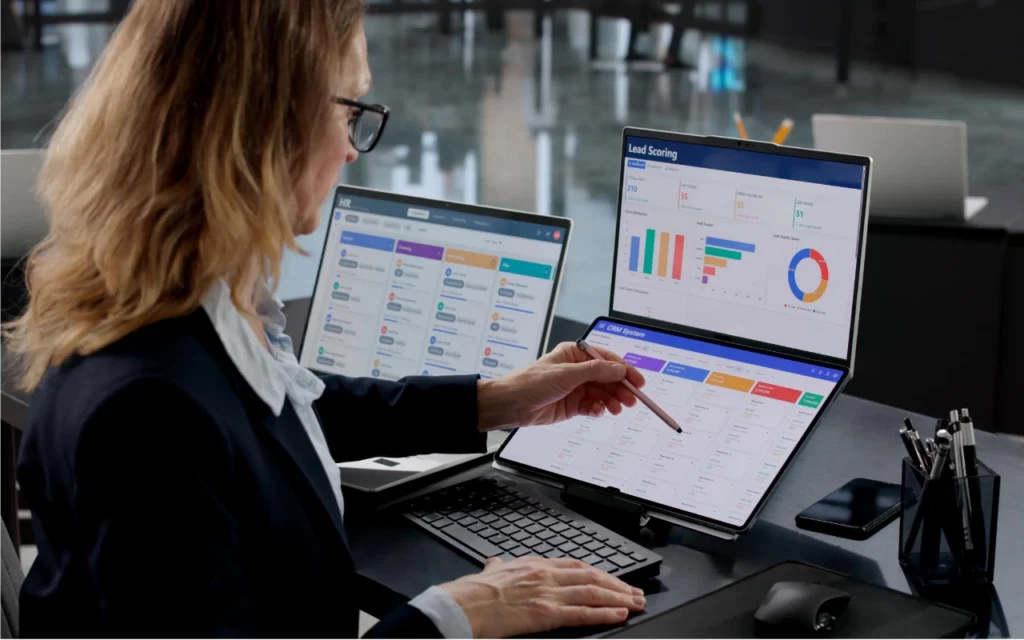
Client management software covers any tool that helps you organize and track client relationships across every stage of the engagement. The term is broad on purpose — it includes everything from a bare-bones contact list to a full platform that handles proposals, contracts, project delivery, and payments.
A CRM (Customer Relationship Management) system is a specific type. CRMs are built for the sales side: turning leads into paying clients, tracking your pipeline, logging conversations, and keeping follow-ups from falling through.
Here's how they differ in practice, and why it matters before you pick anything:
| CRM | All-in-One Platform | |
| Focus | Finding and closing clients | Delivering work and getting paid |
| Core features | Pipeline, contacts, follow-ups | Proposals, contracts, invoicing, client portal |
| Best for | Businesses with lots of leads to manage | Businesses with lots of active clients to serve |
| Examples | HubSpot, Pipedrive, Freshsales | Bonsai, HoneyBook, Dubsado |
| What's missing | Post-sale delivery tools | Advanced sales pipeline |
A Quick Example
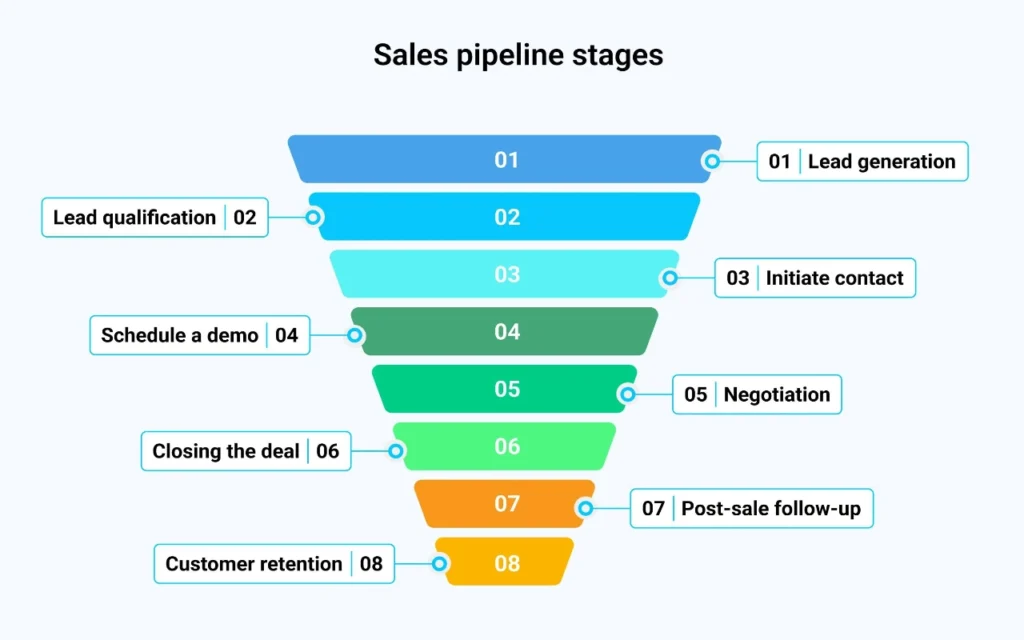
A freelance marketing consultant pulls in leads through referrals, LinkedIn, and Instagram. Proposals go out as email attachments. Contracts end up in different folders. Invoices get sent whenever there's a spare moment. Nothing is broken exactly, but nothing is connected either.
A CRM organizes all of it. Contacts, conversations, deal stages, and tasks live in one place instead of scattered across an inbox and a few open browser tabs. The pipeline stops living inside someone's head.
Unlike enterprise CRM systems that take months to implement, small business CRMs are designed to be running in a day or two. The better ones in 2026 also automate follow-ups, score leads, and flag deals that have gone quiet. That's how a two-person shop can cover a pipeline that would overwhelm a much larger team.
Most comparison articles use “CRM” and “client management software” interchangeably. That's exactly why people end up with the wrong tool. They buy a CRM expecting it to send proposals and collect payments, then six months later they're still juggling four different apps.
For most small service businesses, you probably need a bit of both. The question is which problem is costing you more right now.
Do You Actually Need Client Management Software?

This is the question most CRM guides avoid asking. The right answer depends on what's actually broken in your business, not on how impressive a tool's feature list looks.
Check off what applies:
- You're juggling 10 or more active clients or leads across spreadsheets, sticky notes, or your inbox.
- Follow-ups are getting missed because nothing is clearly assigned or scheduled.
- You spend more than 2 hours a week rebuilding context — re-reading email threads, updating spreadsheets, or manually logging client notes.
- Client details live in someone's personal inbox, making it painful to hand off work or bring in help.
- If someone asked “what's your pipeline worth right now?” you couldn't answer without checking three different places
- A client has had to repeat their situation to you more than once.
- You've sent an invoice late — or missed one — because you lost track of where a project stood
If three or more apply, a proper system will help. The remaining question is just which type. Research on CRM adoption consistently shows that the tools get bought far more often than they get used — and the gap is almost always a setup problem, not a product one. If three or more of the above apply, a proper system will help.
Which Problem Do You Actually Have?
Mostly checked items 1, 2, and 5? Your pain is on the sales side: leads going cold, deals slipping, no visibility into your pipeline. You need a CRM: HubSpot, Pipedrive, Freshsales, or Bigin.
Mostly checked items 3, 6, and 7? Your pain is on the delivery side: admin work taking over, invoices going out late, every proposal starting from a blank document. You need an all-in-one platform like Bonsai.
Checked items from both groups? Most freelancers do. Start with whichever pain is costing you more money or time right now. Solve that first, then layer in the other tool as the business grows.
How Fast Will You See Results?
To keep it simple: if you're losing leads, choose a CRM. If client admin is taking over your week, choose an all-in-one platform. If you're not sure, the checklist above will help you figure out which problem is costing you more.
The 8 Best Tools at a Glance
For full reviews, pros, cons, pricing tables, and AI breakdowns for every tool, see the complete tool reviews below.
| # | Tool | Best For | Starting Price | Free Option | Proposals & Contracts | AI Features |
| 1 | HubSpot CRM | Best free CRM — most versatile | Free / ~$7/month | Free plan (up to 1,000 contacts, 2 users — verify at hubspot.com) | No (needs integration) | Breeze AI — paid plans only |
| 2 | Pipedrive | Active prospecting and outbound sales | ~$14/user/month | 14-day trial | No (needs PandaDoc or similar) | Deal scoring — all paid plans |
| 3 | Zoho CRM | Affordable CRM with depth | Free / ~$14/user/month | Free up to 3 users | No | Zia AI — paid plans only |
| 4 | Bigin by Zoho | Easiest CRM for first-time users | Free / ~$7/user/month | Free for 1 user | No | Limited suggestions only |
| 5 | Freshsales | Built-in calling and free AI deal scoring | Free / ~$11/user/month | Free up to 1,000 contacts | No | Freddy AI — all plans including free |
| 6 | Less Annoying CRM | Simplest CRM for non-technical owners | $15/user/month | 30-day trial, no card required | No | None — deliberately |
| 7 | Streak CRM | Gmail CRM for solopreneurs | Free / ~$15/month | Free for 1 user | No | Limited Gmail suggestions |
| 8 | Bonsai | Best all-in-one for freelancers | ~$9/user/month | 7-day trial | Yes — native | Document drafting AI |
Bonsai is the only tool on this list with native proposals, contracts, and invoicing. Every other tool requires a third-party integration (PandaDoc, DocuSign, Better Proposals). Factor that integration cost and friction into your decision before committing.
Tools We Didn't Include
We tested more than the eight tools listed here. Several got cut.
Some were removed because their pricing no longer makes sense for small teams — what was a reasonable entry-level plan two years ago now sits behind a tier that requires five or more seats. Others created more complexity than they solved, with setup processes that took days and still left core workflows incomplete. A few were fine tools designed for enterprise sales teams, not a two-person agency trying to send a proposal before end of day.
If a tool you've heard about isn't on this list, that's usually why.
Our Final Recommendation

The best tool isn't the one with the longest feature list. It's the one that solves your most expensive problem right now and that you'll actually use six months from today.
If your biggest problem is losing leads and missing follow-ups: Start with HubSpot Free. It costs nothing, covers the vast majority of what a freelancer or small team needs, and gives genuine room to grow without switching platforms. If you do a lot of active outbound prospecting, try Pipedrive instead. If you've tried a CRM before and quit, start with Less Annoying CRM or Bigin — both are functional within an hour.
If your biggest problem is client admin eating your week: Start with Bonsai. It's the only tool on this list that connects your entire client workflow in one place, from first proposal to final payment, without requiring five separate tools or a weekend of configuration.
If you just want something simple you'll actually use: Less Annoying CRM or Bigin. Both have either a free plan or a no-card-required trial, and both are designed to stay out of your way.
| Tool | Best For | Free Option | Our Verdict |
| HubSpot CRM | Best free CRM — most versatile | Free plan (up to 1,000 contacts, 2 users — verify at hubspot.com) | Start here if you're unsure |
| Pipedrive | Active prospecting and outbound sales | 14-day trial | Best pipeline experience in the category |
| Zoho CRM | Affordable CRM for tech-comfortable teams | Free up to 3 users | Most features per dollar — patience required |
| Bigin by Zoho | Easiest CRM for first-time users | Free for 1 user | Best entry point for CRM beginners |
| Freshsales | Built-in calling, free AI on all plans | Free up to 1,000 contacts | Best value if outbound calling matters |
| Less Annoying CRM | Simplest CRM for non-technical owners | 30-day trial, no card | Best for people who've given up on CRMs before |
| Streak CRM | Gmail CRM for solopreneurs | Free for 1 user | Best if your business lives in your inbox |
| Bonsai | Best all-in-one for freelancers | 7-day trial | Only tool with native proposals, contracts, and invoicing |
Every tool on this list has either a free plan or a free trial. There's no reason to pay before testing with at least one real client and one real deal. You'll know within two weeks whether it fits.
Frequently Asked Questions
What's the difference between a CRM and client management software?
A CRM is a type of client management software focused on the sales side: tracking leads, managing your pipeline, and closing deals. “Client management software” is a broader term that also covers tools built for post-sale work, such as proposals, contracts, project delivery, and invoicing. Many small businesses end up needing both.
Which client management software is best for freelancers?
Bonsai is the strongest all-in-one option for freelancers because it handles the full workflow from proposal to payment without requiring add-on tools. If you only need to track leads and follow-ups, HubSpot Free is a solid starting point at no cost.
What's the best free CRM for small business?
HubSpot Free plan (up to 1,000 contacts, 2 users — verify at hubspot.com, a built-in pipeline, email tracking, and basic automation. Bigin by Zoho and Freshsales both offer free plans as well, though with tighter limits.
How long does it take to set up client management software?
For the tools on this list, the core setup takes anywhere from one hour (Bonsai, Bigin, Less Annoying CRM) to a full day (HubSpot, Zoho CRM). Most small businesses are seeing real benefits within two to four weeks of switching from spreadsheets.
Do I need client management software if I only have a few clients?
Probably not, if you have fewer than five active clients and your inbox still feels manageable. Once you're tracking more than ten clients or leads at once, the time you spend rebuilding context and chasing follow-ups usually outweighs the cost of a proper system.