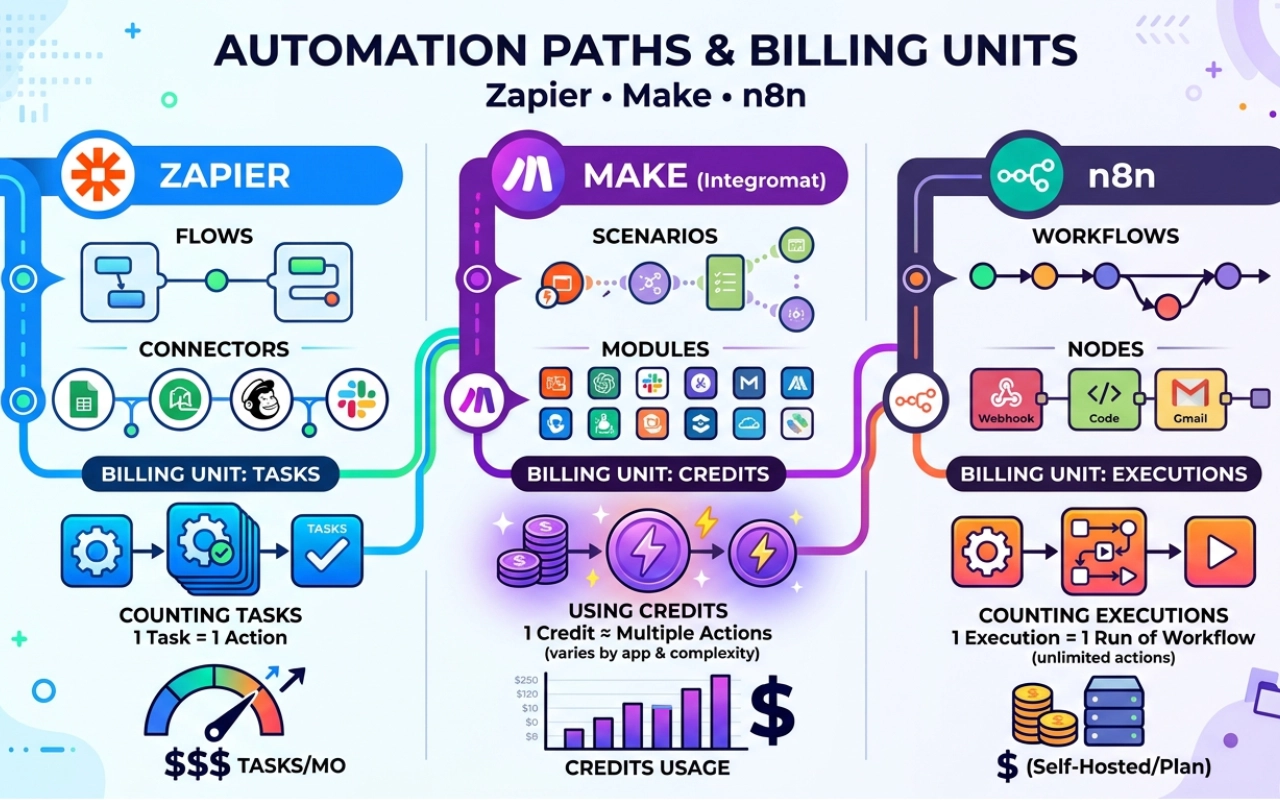
The price on the home page is not your bill. Work is measured differently for each tool. Consider a workflow that runs over 100 rows of a spreadsheet, and performs 1 action for each row. One run will cost you 100 tasks on Zapier, 101 credits on Make and 1 execution on n8n.
This is only true when there is one action per row.
This guide to Zapier vs Make vs n8n pricing will help you to count your own usage. It also shows what self-hosting costs and what it costs to move (for example, if you switch from Zapier to Make).
Prices last checked: 25/11/2026. Prices vary, so please consult each company's pricing page before purchasing.
What each tool counts: tasks, credits, and executions
You pay for units, and each tool uses a different one. That is why Zapier tasks vs Make credits vs n8n executions cannot be compared one for one. Here are the three.
Zapier counts tasks
Zapier calls a saved automation a Zap. Each Zap begins with a trigger. It is triggered by an event, like a new form entry. After that come actions. An action is a job, such as adding a row or sending an email.
Zapier records a task for every successful action step. Triggers are free. See Zapier's help page.
For instance, a Zap can add a row, send an email and post to Slack. It uses 3 tasks every time it runs.
Make counts credits
Make calls a saved automation a scenario. Each step in a scenario is a module. Make counts credits when modules run, depending on the module's billing rules.
Picture paying a coin for each job a worker does. Older articles may call credits “operations”.
Some modules cost more. The Code App module uses 2 credits per second.
n8n counts executions
n8n calls a saved automation a workflow. One run of a workflow is one execution. Steps and loop passes are not counted.
Picture one trip in a truck. The trip counts once, whether the truck holds 1 box or 100.
One loop, three bills
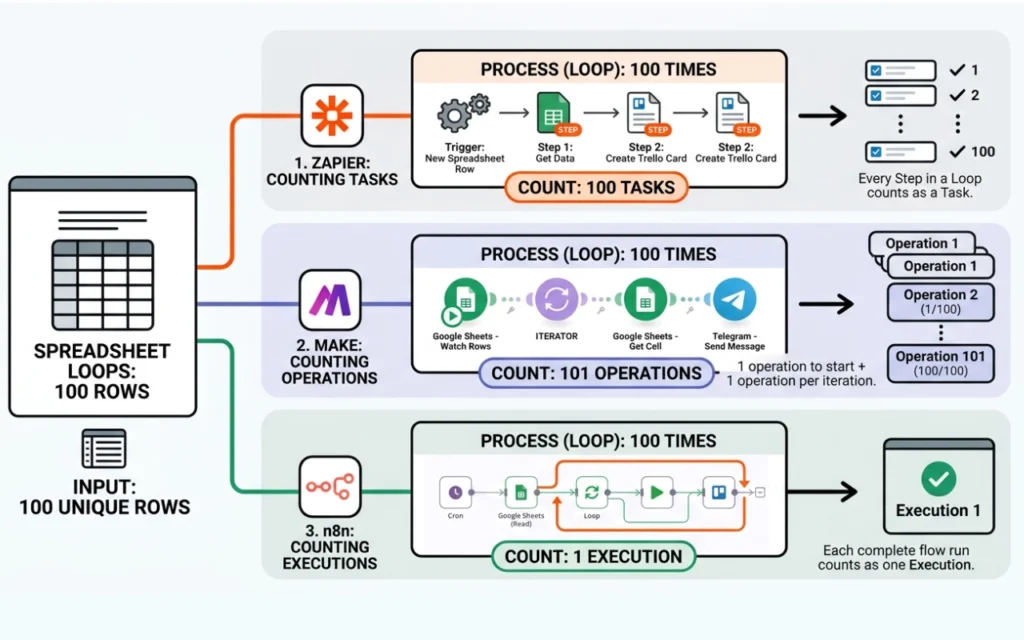
A loop is a group of steps that repeats for every item in a list. It is like stamping 100 envelopes, one at a time.
Make has a step called an Array Aggregator. It bundles many items into one, like putting 50 things into one box. The steps after it then run only once.
Our calculation: Take one run over 100 spreadsheet rows, with one action per row. Zapier counts 100 tasks, Make counts 101 credits, and n8n counts 1 execution. At 1,000 runs a month, that adds up to 100,000 tasks, 101,000 credits, or 1,000 executions.
| Feature / Metric | Zapier | Make | n8n |
| What it counts | Each action step that runs | Each module operation that runs | Each full workflow execution |
| 50-item loop, 1 run | 50 tasks | 51 credits | 1 execution |
| 100-row loop, 1 run | 100 tasks | 101 credits | 1 execution |
| 1,000 runs/mo (100-row loop) | 100,000 tasks | 101,000 credits | 1,000 executions |
| Monthly Cost (Annual Billing) | $489.00 | $53.00 (Pro Plan) | $20.00 (Starter Plan) |
| Monthly Cost (Month-to-Month) | $733.50 | $70.00 (Pro Plan) | $24.00 (Starter Plan) |
Our Calculation:
The annual plan for Zapier is $489/mo, which is approximately 9.2 times the price of Make's Pro annual plan at $53/mo. Zapier costs $733.50 per month, while Make costs $70.00 per month, which is approximately 10.4 times more expensive. Note that a task, a credit and an execution are all different billing units. If you have many loops in your workflow, you'll find that n8n's execution-based model works better than Zapier.
Users Report:
A scenario can run away from you if you loop over large arrays or databases in Make, and you do not use the Iterator/Aggregator combination to bundle your bundles. Nested operations grow exponentially, and users on the Make Community Forum have reported that un-aggregated loops can burn through over 50,000 credits in a few hours.
How to count your own usage
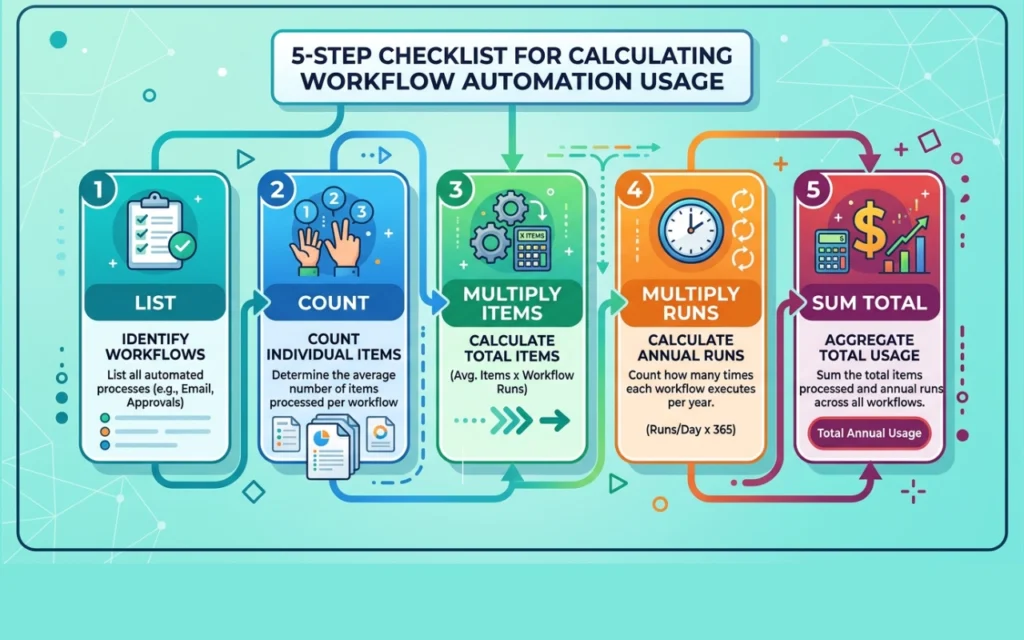
Recommendation: Follow these five steps. They take about 10 minutes.
- List your workflows.
- For each one, count the steps that your tool counts.
- Multiply by the items in each loop.
- Multiply by the runs per month.
- Add the workflows together.
Our calculation: Here is a made-up example. You run a workflow 500 times a month. It has 3 action steps inside a 10-item loop, and each step runs once per item. So one run is 3 × 10 = 30 tasks. Over 500 runs, that is 30 × 500 = 15,000 tasks a month on Zapier.
What the plans cost for Zapier pricing, Make pricing and n8n pricing
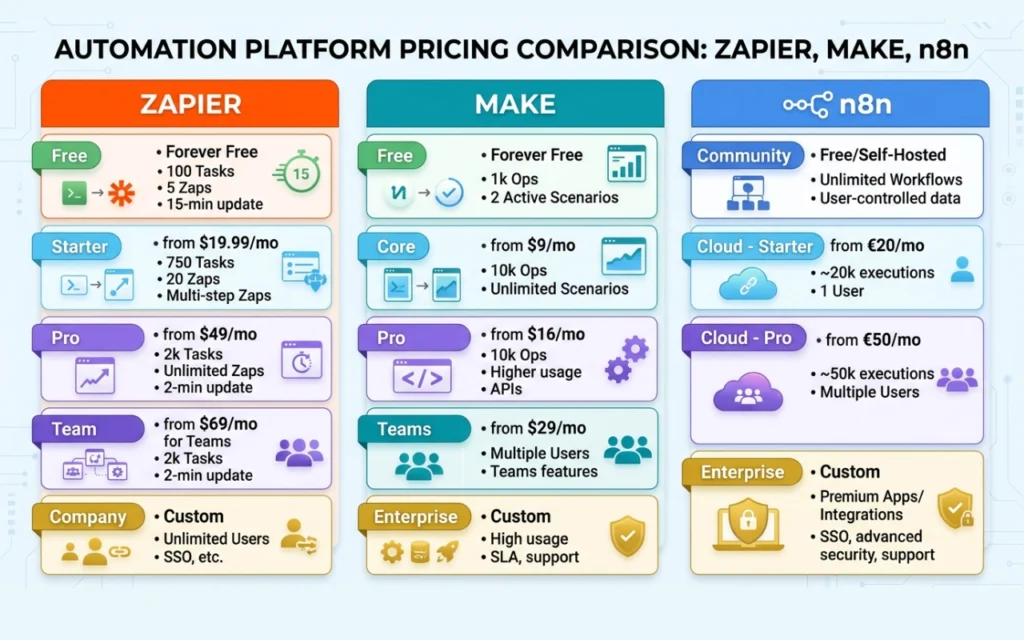
Prices last checked: 25/11/2025.
Free plans and where they stop
Zapier Free costs $0. You receive 100 tasks per month, 15-minute updates and 2-step Zaps (up to 1 trigger and 1 action step per workflow).
Make Free costs $0. You get 1,000 credits a month, 2 active scenarios, and a 15-minute execution interval.
If an app doesn't have instant webhooks, the automation tool will poll the app every 15 minutes. It's similar to going to your physical mailbox every 15 minutes to check for any mail.
Paid plans
| Plan | Billed yearly (per month) | Billed monthly | What you get |
| Zapier Professional | $19.99 ($239.88 a year) | $29.99 | 750 tasks |
| Zapier Team | $69 | $103.50 | 2,000 tasks |
| Zapier, 10,000 tasks | $129 | $193.50 | 10,000 tasks |
| Zapier, 100,000 tasks | $489 | $733.50 | 100,000 tasks |
| Make Core | $9 ($108 a year) | $10.59 | 10,000 credits |
| Make Pro | $16 | $18.82 | 10,000 credits |
| Make Teams | $29 | $34.12 | 10,000 credits |
| n8n Starter | $20 | $24 | 2,500 executions |
| n8n Pro | $50 | $60 | 10,000 executions |
| n8n Enterprise | Custom | Custom | Custom |
Enterprise plans are for large companies with strict rules about security and data.
Our calculation: Zapier Professional billed monthly costs $29.99 ÷ 750 = $0.04 per task. Make Core billed monthly costs $10.59 ÷ 10,000 = about $0.001 per credit. At 100,000 units, Zapier costs $0.0049 (yearly) to $0.0073 (monthly) per task. In this table, Make costs less per unit than Zapier. A credit and a task are not the same, though, and the same workflow may use more credits than tasks.
Yearly or monthly?
Yearly billing means you pay for a whole year up front. Monthly billing means you pay month by month. Yearly billing costs less, as with a gym membership.
Our calculation: Yearly billing saves 33% on Zapier Professional ($19.99 vs $29.99). It saves 15% on Make Core ($9 vs $10.59). It saves about 17% on n8n Starter ($20 vs $24).
Recommendation: Compare yearly prices to yearly prices. Compare monthly prices to monthly prices.
What happens when you go over
Overage is what happens when you go past your plan’s limit. You pay more or the tool stops. It's as if you are using more data than your cell phone plan permits.
Zapier automatically upgrades you to pay-as-you-go billing. You pay an extra fee for each task, until you reach 3 times your plan’s limit. Then everything stops. When you disable overages, your Zaps stop.
Make enables you to configure automatic purchases of additional credits, allowing your scenarios to continue. The Core starter plan starts at $9 per month for 10,000 credits for an annual subscription.
The Starter and Pro plans of n8n Cloud are limited. Once you hit it, your workflows will immediately stop functioning and will remain stopped until you upgrade your plan on your own. The higher Business plans continue to run and charge you for the additional later later.
Self-hosted n8n is when you install n8n on your own server. There is no software restriction on the number of executions that can be run. The limit is set by your server's CPU (thinking power) and memory.
Is self-hosting n8n really free?
Not quite. The self-hosted n8n cost is mostly your server, backups and time. The software costs $0, but running it does not.
The software is free. The rest is not.
Self-hosted refers to software that is hosted on your own server. Cloud is the company operates it on your behalf. It's similar to cooking at home versus eating at a restaurant.
The self-hosted Community Edition is free of charge. It is licensed under Sustainable Use License and source available.
Source-available is when you can read and use the code, but with restrictions. It's like a library book; you can read it, but you can't copy it and sell it.
What a safe server costs
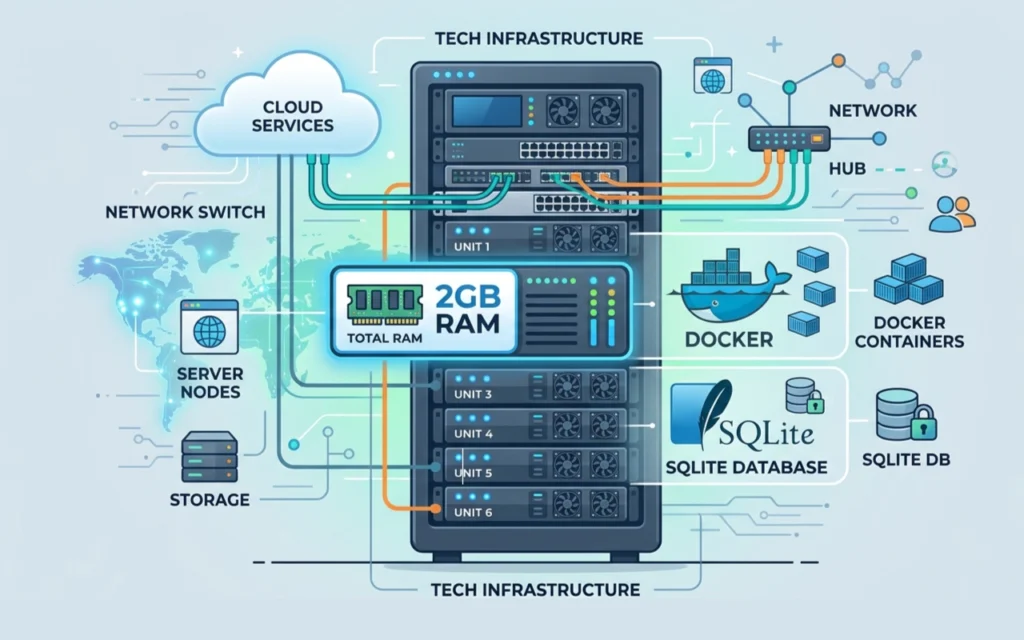
n8n is running on a VPS. A VPS is a portion of a computer that is rented out in a data center. It's similar to renting a room rather than purchasing a home.
According to the n8n System Requirements Overview, nonstop jobs can be run without issues on a server with at least 2GB of RAM. The RAM is the working memory of a computer. An out-of-memory crash (OOM crash) occurs when a program requires more memory than the server can provide and the program is unable to continue functioning. It's similar to having too many papers on a small desk.
Users on the n8n Support Hub have reported that lower-cost servers with just 1GB of RAM (around $5 a month) tend to crash frequently when they process large data loops or large files.
A server that has 2GB to 4GB of RAM will cost approximately $7 to $12 per month. There are some low cost companies such as Hetzner that offer starter plans for about $3.70 to $5.00 per month.
By default, self-hosted n8n keeps its data in a built-in database called SQLite. It requires no additional components to operate. But bigger setups often switch to an outside database called PostgreSQL. That ensures that things don't slow down when thousands of workflows are running simultaneously. Your workflows and run history are stored in a database, similar to a heavy-duty filing cabinet.
You also need backups, which are additional copies of your data that are saved. You need to maintain it, which is the routine maintenance of the server. That involves updating and error checking.
The padlock that protects a connection, similar to a sealed envelope, is an SSL certificate. It needs to be refreshed.
Docker is a tool that packs software with everything it needs, so it runs the same on any server. It's similar to a lunch box.
My own test: a 2GB server
25/11/2026
There were a lot of people who stated that 2GB is not enough for n8n. I believed it would be okay. I have a 2GB cloud server.
First I made a 2GB swap file, just in case. Swap file is a disk space used by the server when memory is full.
Next, I installed Docker. I created a small Compose file that contains two parts: n8n on SQLite and Caddy. SQLite is a tiny database stored in a single file. Caddy is in front of n8n and manages the web address.
I started the containers with docker compose up -d. That was the bulk of the job. Caddy got a free Let's Encrypt padlock on its own. The n8n dashboard was soon opened on HTTPS.
I then ran docker stats. Caddy used approximately 20 MB, n8n used approximately 150 MB when idle (not doing anything). This left approximately 1.7 GB of free space. I don't need that much.
This test is for idle use only. It does not display the server's behavior during heavy runs.
Your time has a price
Total cost of ownership (TCO) means all costs added up. It is like a car's price plus gas, insurance, and repairs.
These numbers are planning assumptions, shown as an illustration. We assume your time is worth $50 an hour, upkeep takes 1.5 hours a month, and backups cost $2 a month.
| Monthly cost item | Low | High |
| Server (2GB to 4GB) | $7 | $12 |
| Backups | $2 | $2 |
| Your time: 1.5 hours × $50 | $75 | $75 |
| Total monthly floor | $84 | $89 |
Our calculation: Here is the same floor at other hourly rates. Each row uses 1.5 hours plus $9 to $14 for the server and backups.
| Your hourly rate | Floor (low) | Floor (high) |
| $25 | $46.50 | $51.50 |
| $50 | $84 | $89 |
| $100 | $159 | $164 |
Self-hosted or n8n Cloud?
Our calculation:
The price of n8n Cloud Pro is approximately $55 to $60 per month (the listed price is $50 per month for the whole year). Self-hosting has a “floor”, which is the minimum amount of money you spend on the server, and the work you do to maintain it. That floor costs $84 to $89 per month (from the table above). So Cloud actually costs less, as long as you run up to 10,000 executions a month.
A break-even point is a point at which two options are equally priced. It's similar to comparing a bus pass to single tickets.
After 10,000 executions, the prices diverge significantly, n8n offers a large Business plan with 40,000 executions for 667€ per month, paid annually. However, according to the official n8n pricing plans, this Business plan is only available for self-hosted installations. It is not available in their Cloud at this time. For more executions on the Cloud, you need to reach out to n8n and request custom Enterprise pricing.
Our opinion:
Only self-host if you like managing servers, or if you have a team that does it for you.
Users report:
Some agencies have individual servers for each client. The servers are said to be inexpensive, $1 to $2 per month per client for basic servers. The downside is that it requires 1-2 hours per month for each client to maintain. That work involves manual checks of the server, renewing SSL certificates, ensuring passwords and logins are kept up to date, and fixing bugs when necessary.
Critical License Check:
n8n is not open source software, see n8n FairCode License rules if you intend to host n8n for clients. It is not allowed to sell their software as a hosted automation service to other people without a special business agreement or paid license key, according to its license.
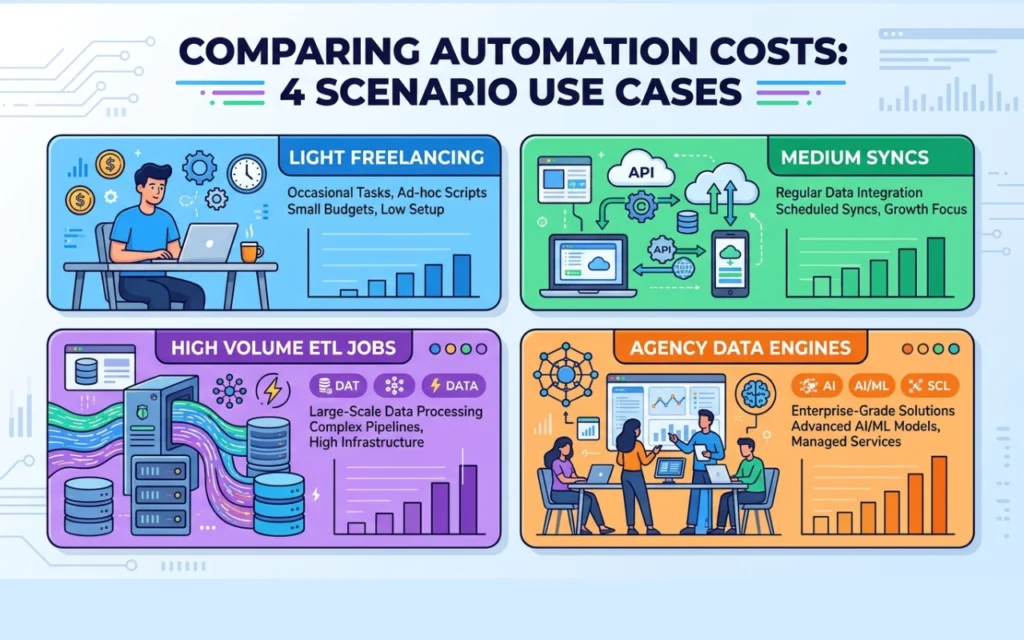
Four worked examples
Each row is one made-up workflow. Read across to compare the tools. Treat it as a simple automation tool cost comparison. Zapier and Make prices are billed monthly.
| Workflow | Zapier | Make | n8n Cloud | n8n self-hosted |
| A. Freelance lead flow: 300 runs, 3 steps, no loops | $29.99 (750 tasks) | $0 (Free plan; about 900 of 1,000 credits) | $24 (Starter) | $84 ($7 + $2 + $75) |
| B. Consultant multi-sync: 1,500 runs, 5 steps, 5 loop items | $433.50 for 36,000 tasks | $28.59 for 30,000 credits ($10.59 + two $9 bundles) | $20 to $24 (Starter; 1,500 of 2,500 executions) | $84 |
| C. Order data move: 4,000 runs, 8 steps, 20 loop items | $2,199 for 588,000 tasks | $380 for 580,000 credits | $50 to $60 (Pro; 4,000 of 10,000 executions) | $89 (server $12) |
| D. Agency data engine: 25,000 runs, 6 steps, 10 loop items | $4,499 for 1,375,000 tasks | $900 for 1,375,000 credits | No price found | $117 (server $40 + $2 + $75) |
This is the main concept to keep in mind. Every tool measures work differently. Every action step is counted by Zapier. For each module that is executed, n8n counts once for the entire workflow run, regardless of how many steps are in the module.
- Scenario B (Medium Flow): 24 Zapier tasks or 20 Make credits are used per run. In n8n, it is considered as 1 execution.
- The cheapest is the Math: Say you run it 1,500 times per month, n8n Cloud Starter is $20 per month when paid annually or $24 per month when paid monthly. Because 1,500 runs can be easily accommodated within n8n's execution limit of 2,500. Make is next at $28.59.
- Scenario C (High-Volume ETL Job): 147 Zapier tasks or 145 Make credits are required for one run.
- What is ETL? ETL is the process of extracting data from one source, transforming its structure, and loading it into another source. For instance, you copy shop orders, clean up the columns and paste them into an accounting sheet. This is a typical ETL job scenario.
- The Cost: Say you run it 4,000 times a month. n8n Cloud Pro costs the least, at $50 to $60. It has a large limit of 10,000 executions, with all 4,000 runs fitting under that. Self-hosting is next at $89.
- Why Make is $380, not $524: If you begin with a small plan and continue to purchase additional credits as you need them, at $9 per 10,000 credits, you will end up paying $380. Your bill would puff up to $524, which isn’t a fair picture. The $380 cost is for the price you would pay if you slide the plan up to a larger bundle of credits from the beginning. Larger bundles offer bulk discounts, and you don't have to pay any extra for exceeding your limit.
- For scenario D (Massive Scale): 55 operations per tool for one run.
- The Cost: Self-hosting costs $117 a month. We can’t fairly compare this to n8n Cloud. Once the Pro plan (10,000 runs), n8n Cloud moves directly to custom Enterprise pricing. A 25,000-execution plan is free on the Cloud.
- In scenario A (Light Workflows), the cost of Make Free is $0. The workflow uses 900 credits a month, which is under Make’s free limit of 1,000 credits. Switching from a paid Zapier starter plan will save you $29.99 per month ($359.88 per year). It's a bad deal to self-host something so small. It is the most expensive at $84.
Core Recommendation: Don't compare the monthly cost of one tool to the annual cost of another, as the figures won't be even. Always compare yearly with yearly, or monthly with monthly.
What it costs to move from Zapier to Make or n8n
There is no one-click move
Each tool saves its workflows as JSON, a text format apps use for data and settings. Picture two forms with different boxes. One tool cannot read the other's form.
Our sources show no one-click tool for moving workflows between these tools. So you must rebuild each flow by hand. (Make Community thread, no date shown)
The rebuild bill
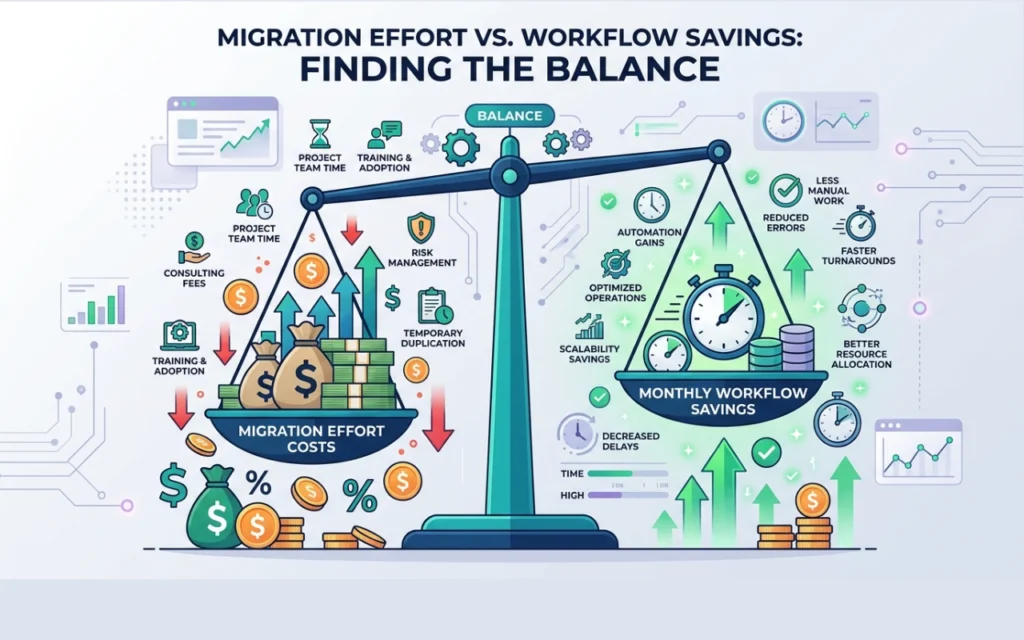
This is a planning assumption, not a measured result. We assume rebuilding 20 workflows takes 30 to 50 hours. At $50 an hour, that is $1,500 to $2,500. A rebuild of 35 hours costs $1,750.
Payback: the formula and a grid
The payback period is how many months of savings you need to earn back the cost of switching. For example, $600 of insulation that saves $50 a month pays back in 12 months.
Our calculation: Payback months = rebuild cost ÷ monthly savings.
| Monthly savings | Rebuild $1,500 | Rebuild $1,750 | Rebuild $2,500 |
| $50 | 30 months | 35 months | 50 months |
| $100 | 15 months | 17.5 months | 25 months |
| $200 | 7.5 months | 8.75 months | 12.5 months |
| $400 | 3.75 months | 4.4 months | 6.25 months |
Our calculation: A $1,750 rebuild pays back in 7 to 9 months only if you save about $195 to $250 a month.
Our calculation: Take example B. Moving from Zapier ($433.50) to Make ($28.59) saves $404.91 a month. $1,750 ÷ $404.91 = about 4.3 months. The Zapier price needs a check.
Our calculation: Take example A. Saving $29.99 a month pays back a $1,750 rebuild in about 58 months. Tiny savings do not justify a big rebuild.
How to switch without breaking things
The cutover is the moment you switch from the old tool to the new one. It is like moving house: you keep the old keys until the new home works.
Recommendation: Follow these steps.
- Rebuild one workflow at a time.
- Run the old and new versions side by side.
- Compare their results.
- Turn the old one off only when the results match.
- Keep the old account until the end of its billing period.
Should you stay, upgrade, or move?
Three questions to ask first
How many units do you use a month?
Do your workflows loop over lists?
Would the move pay back in under 12 months? A payback longer than 12 months is a warning sign.
Rules by reader type
Recommendation, freelancer: Your workflows are short, and you use under 1,000 Make credits a month, with 2 or fewer active scenarios. Check Make Free first. If a rebuild would take years to pay back, stay where you are.
Recommendation, loops over lists: Check n8n Cloud first. It counts one run as one execution.
Recommendation, technical founder: Self-host only if two things are true: the Cloud price at your volume is above your self-host cost, and you accept the upkeep.
Recommendation, agency: Before you host n8n for clients, read the license. Count the upkeep hours per client.
Recommendation, everyone: When you're considering moving your workflows to a new tool, make sure it's compatible with the apps you use.
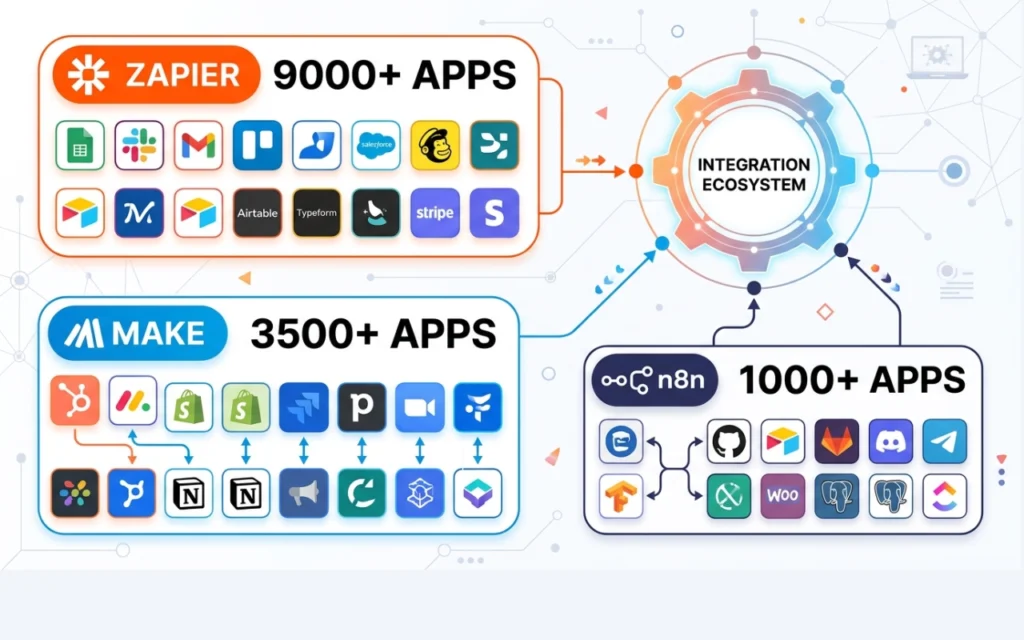
The official numbers show a huge gap between the three tools:
- Zapier offers the most number of apps with over 9,000.
- Make has expanded to over 3,500 pre-installed apps.
- n8n comes with more than 400 built-in pieces, called core nodes. N8n users have also contributed over 600 additional ones via a code-sharing platform called npm. This makes the actual total more than 1,000 services.
This is a quick trick to keep in mind. If your company has very strange software, software for one country, or software for a particular type of business. Zapier is likely to already have a pre-existing connector for it. A connector is the component that enables the tool to communicate with an app. With n8n or Make, you may have to build your own connection for these apps. You do that by using standard HTTP requests or webhooks, which are methods for two apps to communicate with one another. Therefore, it's best to feel comfortable doing that before you select them.
Recommendation: Open your three busiest workflows today. Count the units for each one with the five steps above. Then put your numbers into the payback formula. That gives you your own Zapier vs Make vs n8n pricing answer instead of a guess.