
This is part of our guide to the best client management software for small business.
Confirm current pricing on each vendor's site before purchasing: SaaS pricing changes often. Some links in this article are affiliate links. Every tool listed here was independently evaluated before any affiliate relationship was considered.
We evaluated 15+ tools using hands-on research and real small-business workflows. Eight made the cut. Below are the full reviews: complete pros and cons, pricing tables, AI feature breakdowns, and clear choose-if / skip-if guidance for each tool.
How we evaluated these tools
We reviewed each tool against a consistent set of criteria based on small-business research and real use-case documentation: how long setup actually takes (not the vendor's estimate), whether automation workflows run reliably, how quickly a non-technical person gets comfortable, and what the real cost looks like once integrations are factored in.
Tools that looked strong on paper but created daily friction were cut. A few tools from previous years didn't make this list because their pricing structures shifted in ways that no longer make sense for small teams.
Evaluation criteria:
- Setup time and onboarding friction
- Contact and client management
- Automation reliability
- AI features and practical usefulness
- Pricing vs. what you actually get
- Ease of use for non-technical users
- Workflow coverage across proposal, pipeline, and invoicing scenarios
How to choose the right tool
If you're still deciding which category of tool you need, this is the short version:
- Need to track leads and close more deals: use a CRM (HubSpot, Pipedrive, Freshsales, Bigin)
- Need proposals, contracts, and invoicing in one place: use an all-in-one platform (Bonsai)
- Need it free to start: HubSpot, Freshsales, or Bigin
- Need the simplest possible setup: Less Annoying CRM or Bigin
- Want a CRM inside Gmail with no new apps to learn: Streak
The full situation-matcher and comparison table are in the main guide linked above.
1. HubSpot CRM: best free CRM for small business
If you've never used a CRM and don't know where to start, start here. HubSpot's free plan is one of the most accessible on this list: a visual pipeline, email tracking, a meeting scheduler, and live chat, all without entering a credit card. Free accounts are capped at 1,000 contacts and 2 users as of 2024 — verify current limits at hubspot.com/pricing/crm before building your workflow around it.
HubSpot is where most freelancers and small business owners land when they first move off spreadsheets, and there's nothing to lose by trying it. No trial clock, no countdown timer nudging you toward a paid plan.
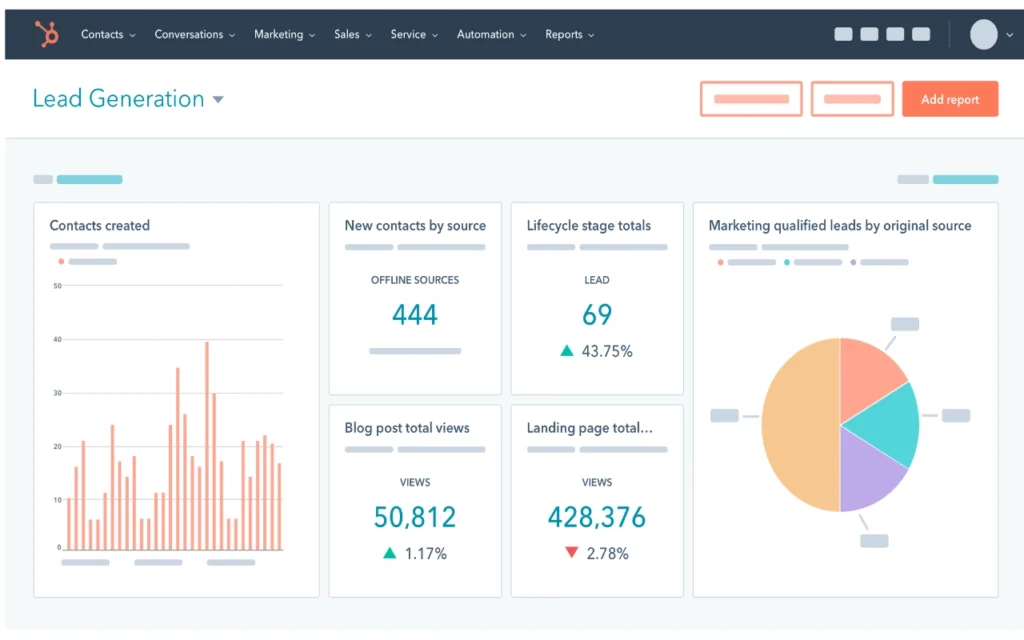
Where it stands out is breadth. It covers more ground than any other tool here: contact management, deal tracking, email sequences, basic automation, meeting scheduling, and live chat, all in one place. For a solo operator or two-to-three person team, that means fewer tools to juggle and fewer gaps where things fall through.
The pricing jump is worth planning for. HubSpot is built to grow with you, which also means the costs grow with you. The free-to-Starter transition is manageable. The Starter-to-Professional jump is steep enough that some small businesses hit it and start looking for alternatives. Know that ceiling exists before you build your whole operation around it.
What HubSpot Breeze AI actually does
Breeze is only available on paid plans. On Starter, it drafts follow-up emails based on your conversation history with a contact — useful when you've had three calls with a prospect and can't remember where you left off. On Professional, it flags deals that have gone quiet based on your historical close patterns and suggests a next action. Once you've built the habit of using it, it saves 20 to 30 minutes of mental overhead per week. On the free plan, none of these features are available.
HubSpot pricing
| Plan | Price | What you get |
| Free | $0/month | Up to 1,000 contacts, 2 users, visual pipeline, email tracking, meeting scheduler, live chat |
| Starter | Starting around $7/month (pricing varies by package and billing cycle) | Everything in Free plus email sequences, simple automation, HubSpot branding removed |
| Professional | Reaches four figures per month depending on products and seats | Full marketing automation, custom reporting, advanced lead scoring, A/B testing |
Verify current pricing at hubspot.com before purchasing.
Choose HubSpot if: you want to start free with no commitment and grow into more features later, your leads come in through referrals or content rather than outbound cold outreach, or you're building a team and want one platform that scales without a painful migration later.
Skip HubSpot if: you need proposals, contracts, or invoicing built in, you're running a high-volume outbound operation and want a more focused pipeline tool, or the Professional tier pricing doesn't fit your current revenue stage.
2. Pipedrive: Best CRM for service businesses that actively prospect
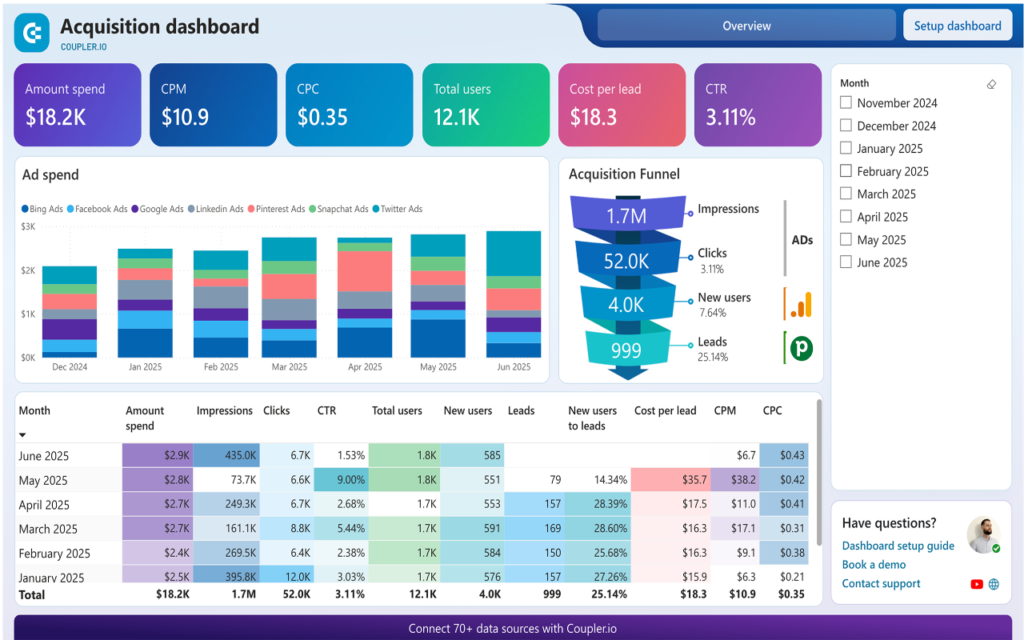
If your business runs on outbound energy — cold emails, proposal follow-ups, and pitching new clients while tracking ten to fifteen active deals at once — Pipedrive was built for this.
Where HubSpot tries to be everything, Pipedrive stays focused on one thing: keeping your deals moving. Every screen and reminder is built around the same question: what do you need to do next to close this client? Depending on where your business is, that focus is either your biggest reason to use it or your biggest reason to move on.
The visual pipeline is one of the cleanest in this category. Drag a deal from “Proposal Sent” to “Contract Signed” and the whole record updates: tasks, follow-up reminders, linked emails. On mobile, it's fast and clean, which most CRM apps can't say. If you work from your phone between client calls, Pipedrive's mobile app is genuinely one of its strongest features.
Where it falls short is everything after the sale. It tracks the deal well, but once a client is signed, you're largely on your own. No project delivery, no invoicing, no client portal. Pipedrive works best when paired with something else rather than used as your only business system.
How Pipedrive's AI deal scoring works in practice
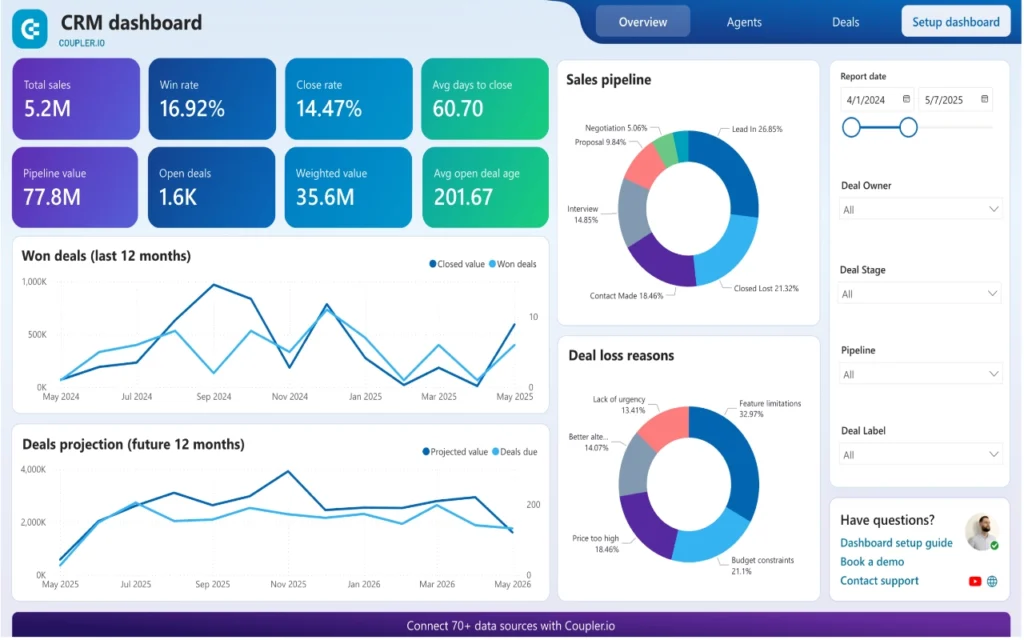
Pipedrive's AI reviews your historical win and loss patterns and assigns each active deal a risk level. If a deal has sat untouched longer than your average close time for similar deals, it surfaces automatically with a suggested next action: call, email, or meeting. When you're managing fifteen active prospects, having the system flag which ones are going cold without you checking each one manually saves real time. AI deal scoring is available on Professional and above; confirm current plan availability at pipedrive.com before purchasing, as AI features change frequently.
Pipedrive pricing
| Plan | Price | What you get |
| Essential | ~$14/user/month | Core pipeline, contacts, activity reminders, email sync |
| Advanced | ~$29/user/month | Email sequences, workflow automation, scheduling, group email |
| Professional | ~$59/user/month | AI deal scoring, revenue forecasting, deeper reporting, e-signatures |
Verify current pricing at pipedrive.com before purchasing.
Choose Pipedrive if: you actively prospect and pitch new clients regularly, you're tracking multiple deals at different stages and need a clear visual overview, or you work on the go and need a mobile experience that keeps up. You can start a 14-day trial at pipedrive.com with no credit card required.
Skip Pipedrive if: you need a free starting point, you want proposals, contracts, invoicing, or a client portal in the same platform, or your leads come in inbound and you don't do much active outreach.
3. Zoho CRM: Most features per dollar for tech-comfortable teams
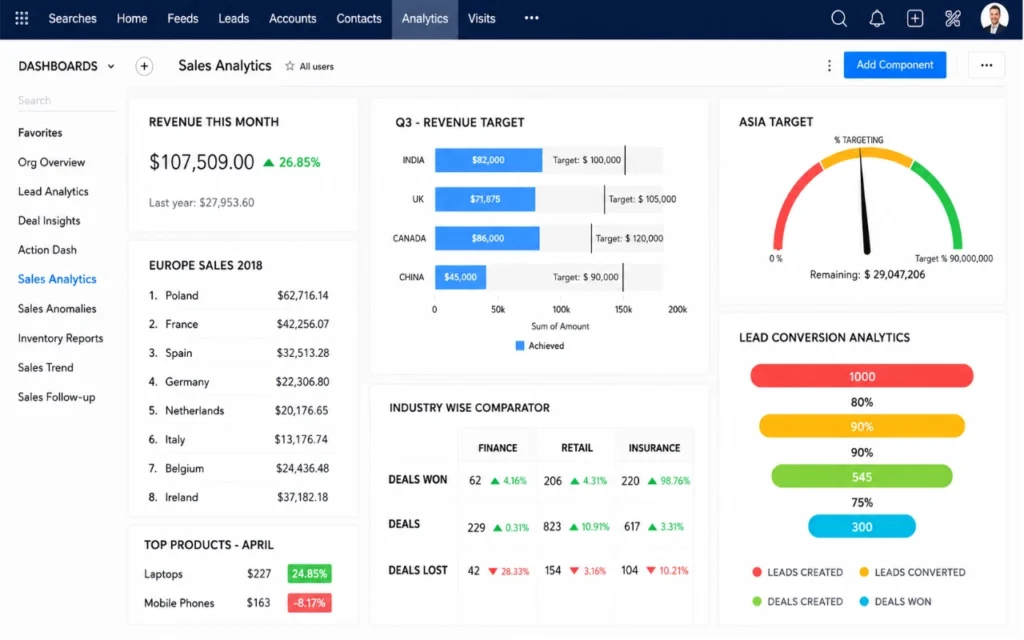
Zoho CRM is not for everyone reading this. If you're a freelancer who wants to be running today, skip ahead to Bigin or Less Annoying CRM. But if you're tech-comfortable, willing to invest a few days in setup, and tired of paying higher prices as your team grows, Zoho CRM is one of the strongest options at this price point.
What you get for the money is hard to match: workflow automation, AI-powered deal risk scoring, custom modules, advanced reporting, and deep integration with Zoho's wider product ecosystem (Books for accounting, Projects for delivery, Desk for support). If you want serious business infrastructure without enterprise pricing, this is the closest thing on this list.
Setup takes longer than most people expect. The interface feels dense and dated compared to HubSpot or Pipedrive, and getting everything configured properly takes days rather than hours. If your team dislikes learning new software, they'll resist it — and you'll end up with a powerful tool nobody actually uses. That's the scenario worth planning around before you start.
Go in with a clear list of which features you actually need, configure only those first, and resist turning everything on at once. Zoho opens up with patience. The people who struggle are usually the ones who try to do everything on day one.
What Zoho Zia AI does for pipeline management
Zia monitors your active deals and flags risk based on inactivity and pipeline patterns. If a deal has been sitting in “Proposal Sent” longer than your typical close time, Zia flags it with a specific reason rather than a generic alert. It also suggests the best time to contact a lead based on their previous response patterns. When configured correctly, Zia is one of the more practically useful AI features in this category.
Zoho CRM pricing
| Plan | Price | What you get |
| Free | $0/month | Up to 3 users, core CRM features |
| Standard | ~$14/user/month | Scoring rules, workflows, basic reports |
| Professional | ~$23/user/month | Blueprints, inventory, advanced automation |
Verify current pricing at zoho.com before purchasing.
Choose Zoho CRM if: you're tech-comfortable and willing to invest real setup time, you want enterprise-level features without enterprise-level pricing, or you're already using other Zoho tools and want them to connect.
Skip Zoho CRM if: you need to be running today, your team dislikes learning new software, or you're a solo freelancer managing fewer than fifteen clients.
4. Bigin by Zoho: Easiest CRM for small business first-timers
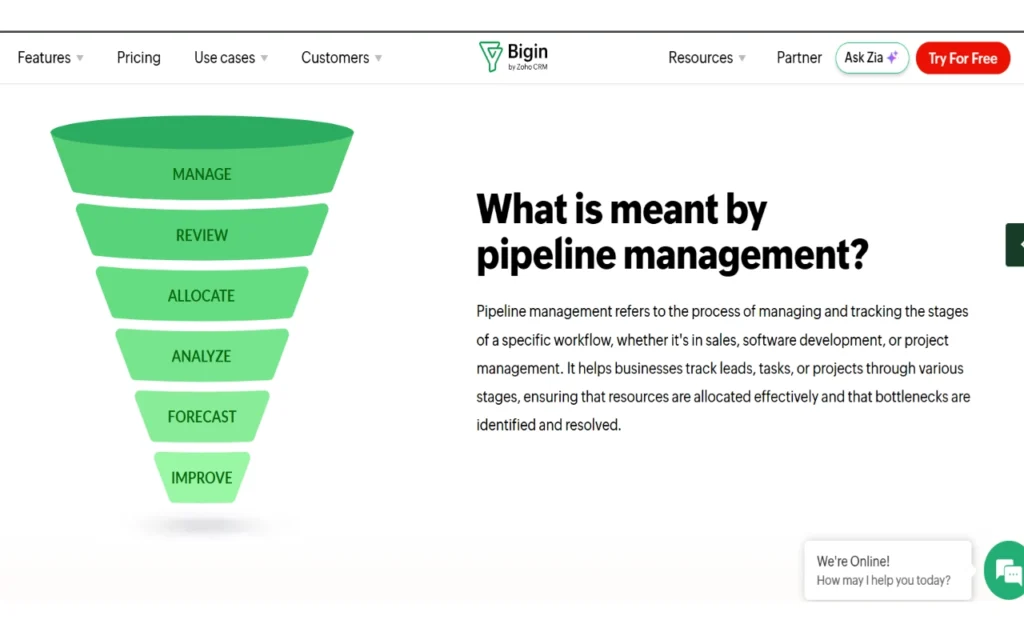
Bigin is Zoho CRM with the complexity stripped out. Same company, entirely different experience. Where full Zoho CRM rewards patience and technical comfort, Bigin is usable within an hour of signing up. No weekend configuration session, no deep-dive tutorials, no consultant needed.
It covers the essentials cleanly: pipeline management, contact tracking, email integration, basic automation, and a solid mobile app. For a solopreneur managing five to twenty clients, that's honestly everything you need in a first CRM.
The pricing is the lowest genuine option on this list. Free for one user, paid plans starting around $7 per user per month. The more useful question is whether you'll outgrow it, not whether you can afford it. You will eventually outgrow it. But upgrading to full Zoho CRM is seamless — contacts, pipeline, and data carry over without the painful migration that switching platforms usually involves.
The analytics are thin. If you want to know which services are most profitable or what your average deal close time looks like, you won't find those answers here. For a solopreneur just getting started, that's rarely the first thing that matters — but it's worth knowing before you commit.
Does Bigin have AI features?
Basic deal and task suggestions, nothing close to Zia's risk scoring in full Zoho CRM. For a solopreneur managing a small client list, that's rarely a dealbreaker. If AI-powered insights matter to you, step up to Freshsales or full Zoho CRM instead.
Bigin pricing
| Plan | Price | What you get |
| Free | $0/month | 1 user, core pipeline and contact management |
| Express | ~$7/user/month | Multiple pipelines, basic automation, email integration |
| Premier | ~$12/user/month | Advanced automation, custom dashboards, more integrations |
Verify current pricing at zoho.com/bigin before purchasing.
Choose Bigin if: you're a solopreneur or micro-business using a CRM for the first time, you want the simplest possible setup without losing core features, or you're open to upgrading to full Zoho CRM as the business grows.
Skip Bigin if: you have a team of more than four people, you need meaningful reporting and analytics now, or you want AI-powered deal insights built in.
5. Freshsales: best CRM for service businesses that need built-in calling
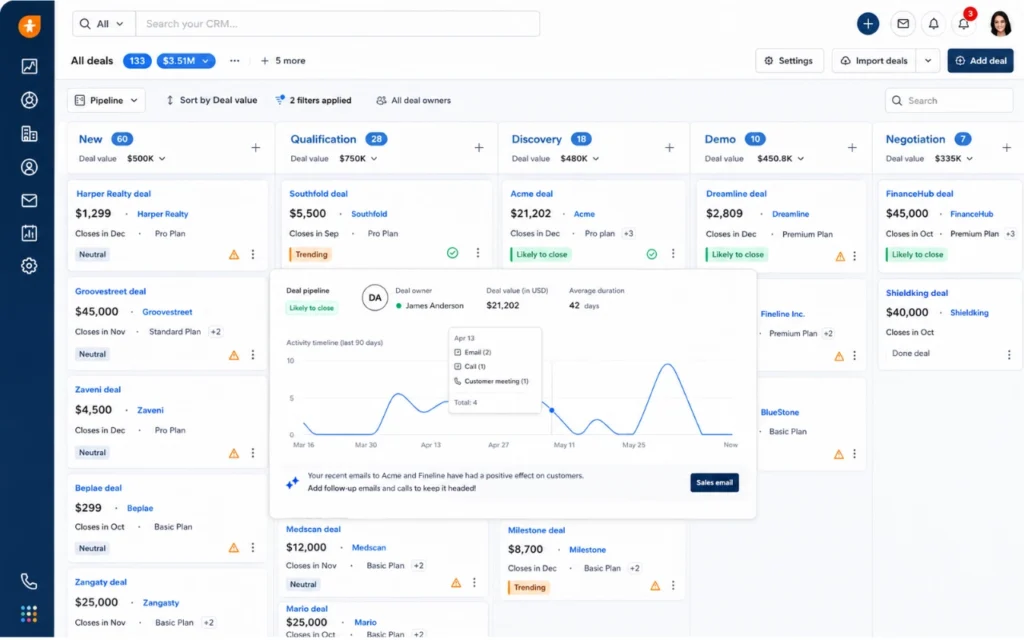
Freshsales doesn't get talked about enough in small business circles. For a specific type of business, it's the best value on this entire list.
The businesses that get the most from it are the ones where outbound communication is constant. You're calling prospects, emailing leads, and sending follow-ups — and you want all of it in the same place. Every other CRM here makes you pay extra or integrate a third-party app to get phone calling. Freshsales includes it natively on every plan including the free one, which is rare at this price point.
The interface is clean and modern, closer to Pipedrive than to Zoho CRM. Setup is straightforward; most people are functional within a few hours.
Two things worth knowing about the free plan before you build a workflow around it: it's capped at 3 users, and Freddy AI (Freshsales' deal intelligence layer) is not available on the free tier — it starts on the Growth plan. If AI-assisted scoring is part of why you're interested in Freshsales, plan for that upgrade from the start.
How Freshsales Freddy AI scores deals
Freddy assigns each deal a score from 0 to 100 based on real engagement signals: email opens, reply rates, call outcomes, and time sitting in a pipeline stage. A deal stuck in “Negotiation” for three weeks when your average close time is ten days gets flagged automatically with a recommended next action. Freddy also predicts which leads are most likely to convert in the next 30 days — useful when you're managing more leads than you can chase equally. Freddy is available from the Growth plan upward; confirm current AI feature availability at freshworks.com/crm before purchasing.
Freshsales pricing
| Plan | Price | What you get |
| Free | $0/month | Up to 3 users, built-in phone and email, contact and deal management — no AI, no workflows |
| Growth | ~$9/user/month (annual) / ~$11/user/month (monthly) | Workflow automation, Freddy AI, custom reports, sales sequences |
| Pro | ~$39/user/month (annual) / ~$47/user/month (monthly) | Advanced AI deal insights, forecasting, multiple sales pipelines |
Verify current pricing at the Freshsales pricing page before purchasing.
Choose Freshsales if: you make regular outbound calls alongside email outreach, you want AI deal scoring at a mid-tier price point, or you need a clean modern interface with a low learning curve.
Skip Freshsales if: you need a robust free plan with AI features (look at HubSpot instead), you rely on niche third-party integrations outside their ecosystem, or you need proposals, invoicing, or client portals built in.
6. Less Annoying CRM: the simplest CRM for non-technical small business owners
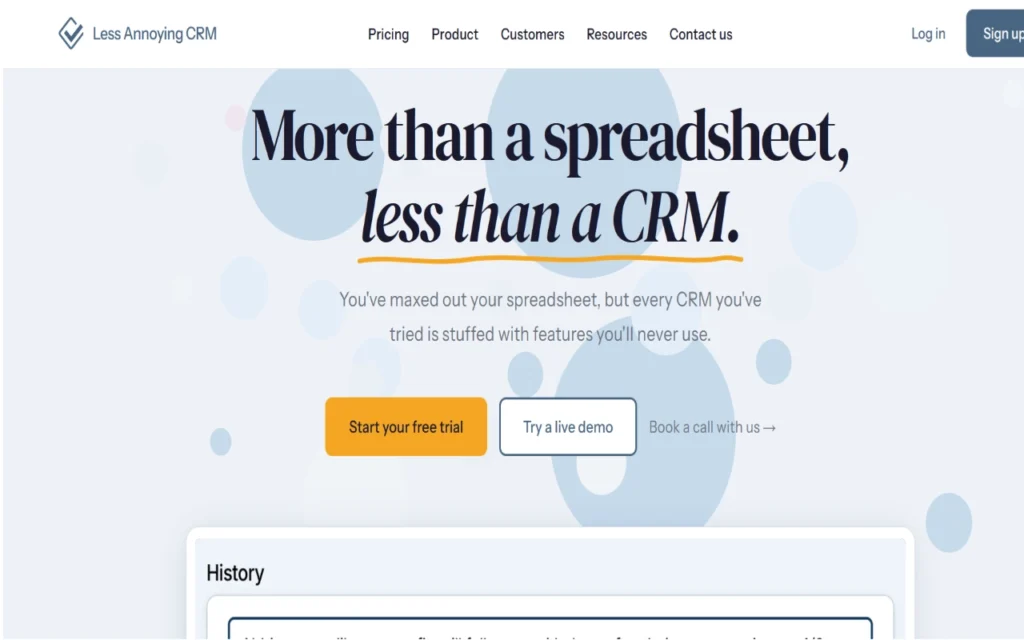
Less Annoying CRM exists for one specific person: the small business owner who signed up for HubSpot or Zoho, spent a weekend configuring it, felt overwhelmed, and went back to their spreadsheet. If that's you, this tool was built for you.
No tiers to decode, no features locked behind upgrades, no dashboards you'll configure once and never open again. One flat price of $15 per user per month covers everything: contacts, tasks, a simple pipeline, a calendar view, and basic follow-up tracking.
What sets it apart from everything else on this list is the support. According to the company, support is handled by US-based staff by phone and email rather than outsourced to a chat bot or overseas team — worth verifying at lessannoyingcrm.com, but consistently cited in user reviews as a genuine differentiator. When something breaks during a client onboarding and you need help right now, that matters more than most people realize until the moment it happens.
Less Annoying CRM has a low ceiling. No meaningful automation, no AI, no invoicing, no proposals. If your business is growing fast or you're adding team members, you'll outgrow it within a year. But a simple CRM you actually use every day is worth more than an abandoned HubSpot account.
Does Less Annoying CRM have AI features?
No, and that's a deliberate product decision. If AI-assisted follow-ups or deal scoring matter to you, this isn't your tool. Look at Freshsales or HubSpot instead.
Less Annoying CRM pricing
| Plan | Price | What you get |
| 30-day trial | Free | Full access, no credit card required |
| Full access | $15/user/month | One plan, all features included, no tiers |
Verify current pricing at lessannoyingcrm.com before purchasing.
Choose Less Annoying CRM if: you've tried a CRM before and quit because it was too complex, you want to be running today with zero configuration, or you value accessible human support over a help center full of articles.
Skip Less Annoying CRM if: you need automation, AI, or advanced reporting, you plan to grow beyond a five-person team within the next year, or you need proposals, invoicing, or contracts built in.
7. Streak CRM: best Gmail CRM for freelancers who live in their inbox
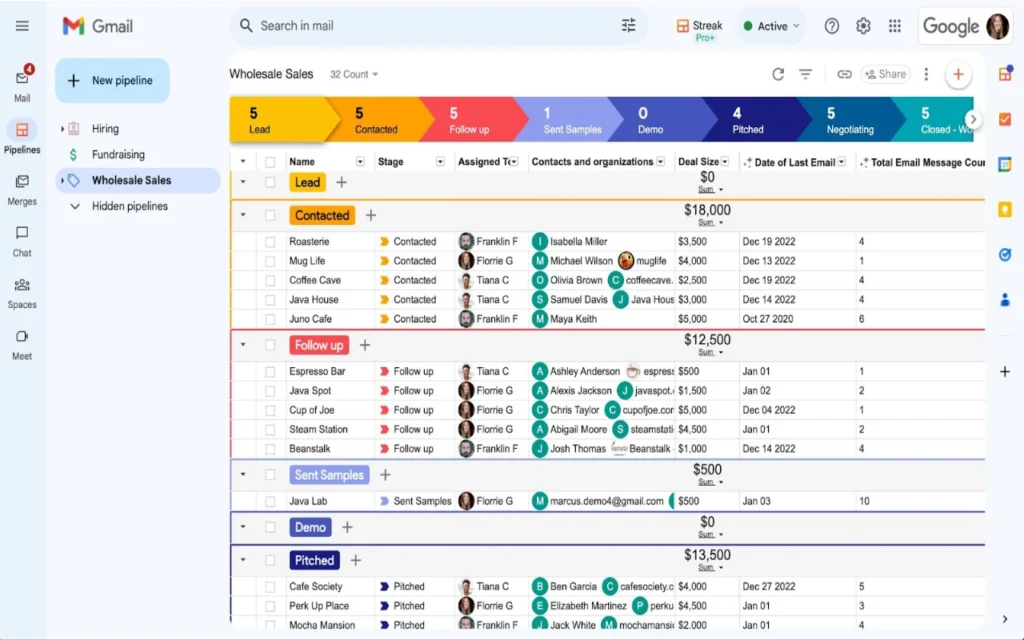
Streak is the odd one out on this list, deliberately. Every other tool here asks you to log into a separate platform, build a new habit, and maintain another tab alongside your existing workflow. Streak skips all of that. It lives entirely inside Gmail, appearing as panels and sidebars within your existing inbox. Pipeline, contact records, email tracking, and task reminders all show up where you already spend most of your day.
For a certain type of freelancer or solopreneur, that matters more than any feature list. If your entire client relationship happens over email, the most common reason CRMs fail isn't the tool itself — it's the friction of logging into a separate app consistently enough for the habit to stick. Streak removes that friction by eliminating the separate app entirely.
The constraint is equally clear. Streak only works inside Gmail. If your team uses Outlook, if a client relationship moves to Slack, or if you need to hand off context to someone on a different email client, you'll hit that wall fast. Paid plans also get expensive quickly for small teams, which makes Streak far better suited to solo operators than growing teams.
It's for people who will never consistently maintain a separate CRM app. If that sounds like you, it's worth a look.
Does Streak have AI features?
Limited — basic email drafting suggestions inside Gmail, similar to what Google's own tools already provide. No deal scoring, no risk flagging, no predictive analytics. The value here is entirely about frictionless adoption, not AI depth. If AI-powered insights matter to you, look at Freshsales or HubSpot instead.
Streak pricing
| Plan | Price | What you get |
| Free | $0/month | 1 user, basic pipeline, email tracking |
| Solo | ~$15/month | 1 user, full pipeline, mail merge, advanced tracking |
| Pro | ~$49/user/month | Team features, permissions, advanced reporting |
Verify current pricing at streak.com before purchasing.
Choose Streak if: Gmail is your primary workspace, you're a solo freelancer who wants CRM features without a separate app, or your client relationships are almost entirely email-based.
Skip Streak if: your team uses Outlook or any non-Gmail client, you need a CRM that works outside your inbox, or you need proposals, invoicing, or project delivery features.
8. Bonsai: best client management tools for small business (all-in-one)
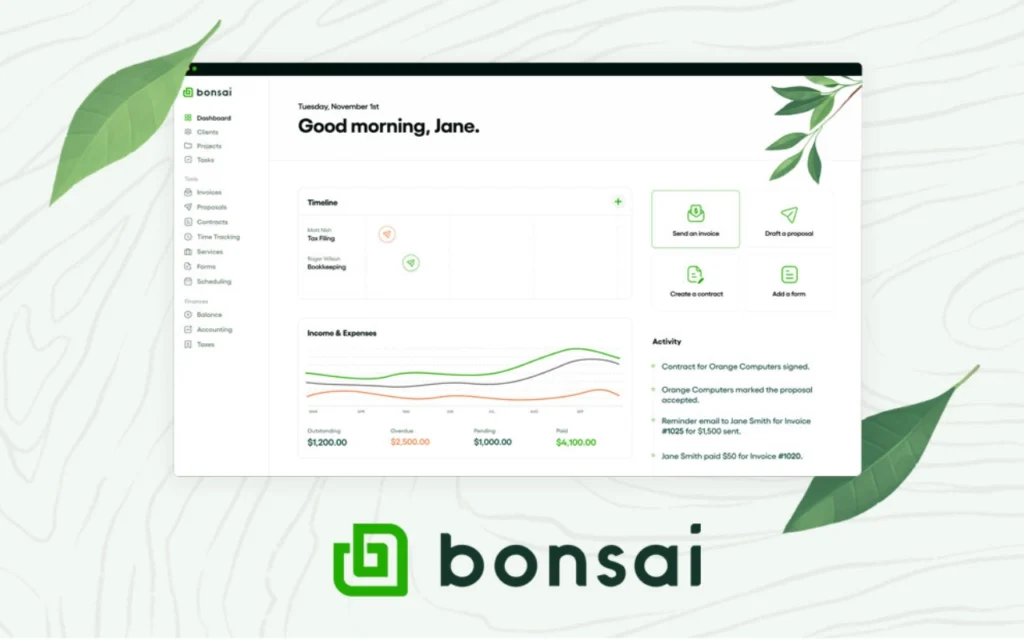
Every other tool on this list is a CRM. They track leads, manage pipelines, and help you follow up. What they don't do natively is send a professional proposal, turn it into a signed contract, collect a deposit, track the project, and invoice the final payment — all inside one platform, without connecting five separate tools.
For a freelancer, that missing piece is usually the bigger problem. If your typical client journey goes: lead comes in, you send a proposal, they sign a contract, you do the work, you send an invoice, they pay — Bonsai is built specifically around that workflow.
Every step connects to the next automatically. A signed proposal triggers a contract. A completed project triggers an invoice. A late payment triggers a reminder. You configure it once and it runs while you do the actual work.
One confirmed change worth knowing: Zoom announced the acquisition of Bonsai on November 5, 2025, and the deal closed in December 2025 (Zoom's official announcement). Bonsai's stated plan is to remain a standalone platform under its own brand while its capabilities are gradually incorporated into Zoom's ecosystem over time. Five months post-acquisition, the product and pricing are reported as unchanged, and no forced migration has been announced. It's a real strategic factor to monitor, but not a reason to avoid Bonsai today.
Bonsai also includes contract templates, though the “attorney-vetted” claim appears in user materials and marketing — confirm the current status of this directly at hellobonsai.com before referencing it in client-facing contexts.
The team-size constraint is real: Bonsai is excellent for solo operators and starts to strain at two or three people, since per-user pricing adds up and the collaboration features aren't as mature as the solo workflow tools. If you're a growing agency, HoneyBook or Dubsado may be worth comparing.
What Bonsai AI does, and what it doesn't
Bonsai's AI focuses on document creation rather than pipeline intelligence. It generates a first draft of a proposal or contract based on your project type, scope, and rate — cutting 20 to 30 minutes of blank-page time on every new client. It won't score your deals or flag pipeline risks the way Freshsales or HubSpot do. But for a freelancer whose biggest time drain is admin paperwork rather than sales tracking, that's the right focus.
Bonsai pricing
| Plan | Price | What you get |
| Basic | ~$9/user/month | Contracts, invoicing, proposals, client management |
| Essentials | ~$19/user/month | Everything in Basic plus time tracking, scheduling, client portal |
| Premium | ~$29/user/month | Everything in Essentials plus subcontractor management, advanced reporting |
Verify current pricing at hellobonsai.com before purchasing, particularly as Zoom's integration roadmap develops.
Choose Bonsai if: you're a freelancer or solo service business who needs proposals, contracts, and invoicing in one place, you want your entire client workflow automated from first inquiry to final payment, or admin paperwork is your biggest time drain rather than pipeline management.
Skip Bonsai if: you have a team of three or more (per-user pricing adds up fast), you need a serious pipeline and deal tracking tool, or you want AI-powered sales intelligence rather than document automation.
Ready to choose? Head back to the best client management for small business for the full comparison table, situation-matcher, and our final recommendations. Related: CRM vs. Client Management Software: What's the Difference?